
مراجعة سعر البيع
تتيح مراجعة سعر البيع تعديل أسعار بيع الأصناف في المخزون بنسبة مئوية بالزيادة أو النقصان.
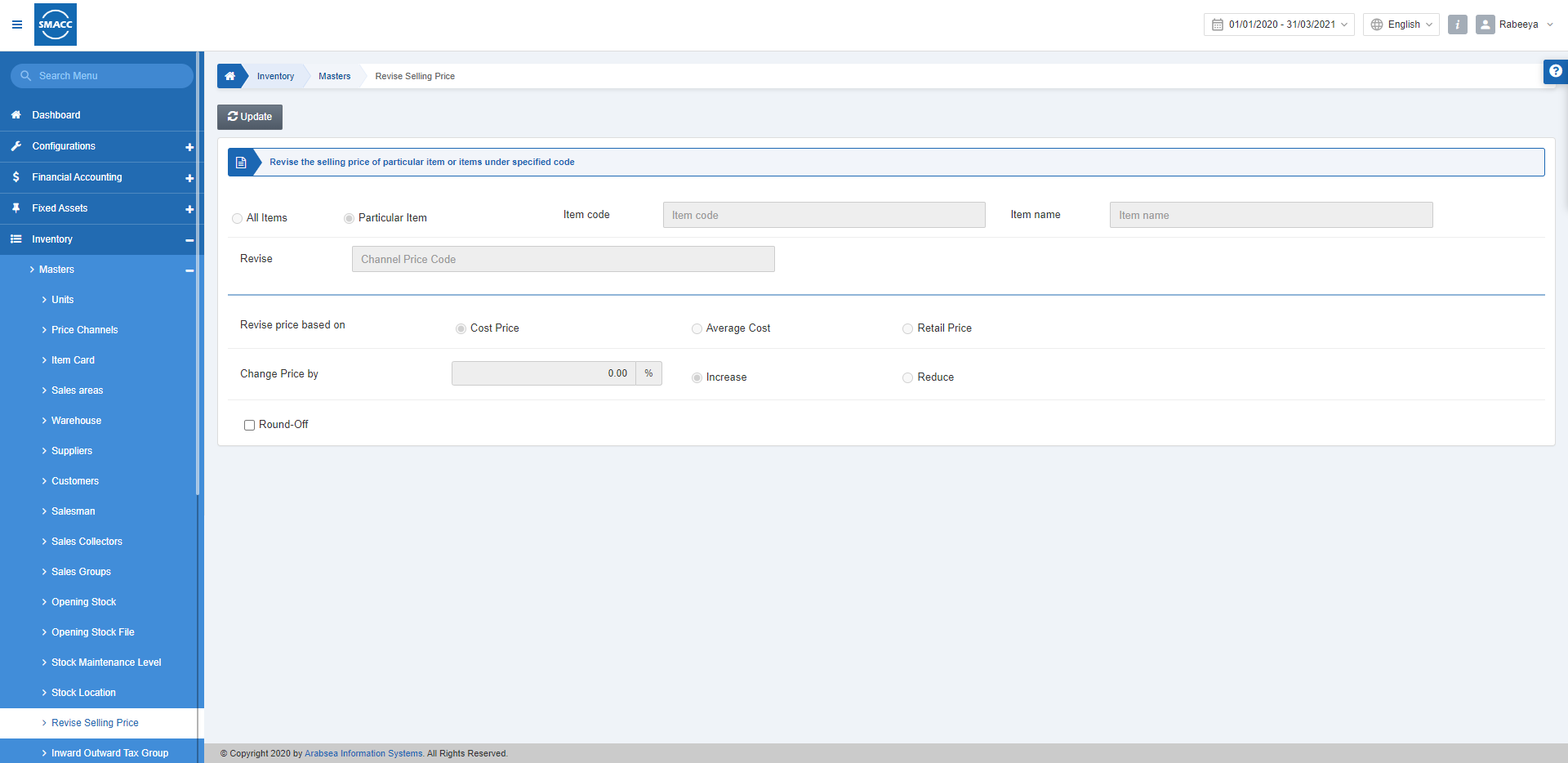
ضبط مراجعة سعر البيع لجميع الأصناف
لضبط سعر البيع المعدَّل لجميع الأصناف في المخزون، انتقل إلى المخزون > البيانات الأساسية > مراجعة سعر البيع، فتظهر صفحة مراجعة سعر البيع.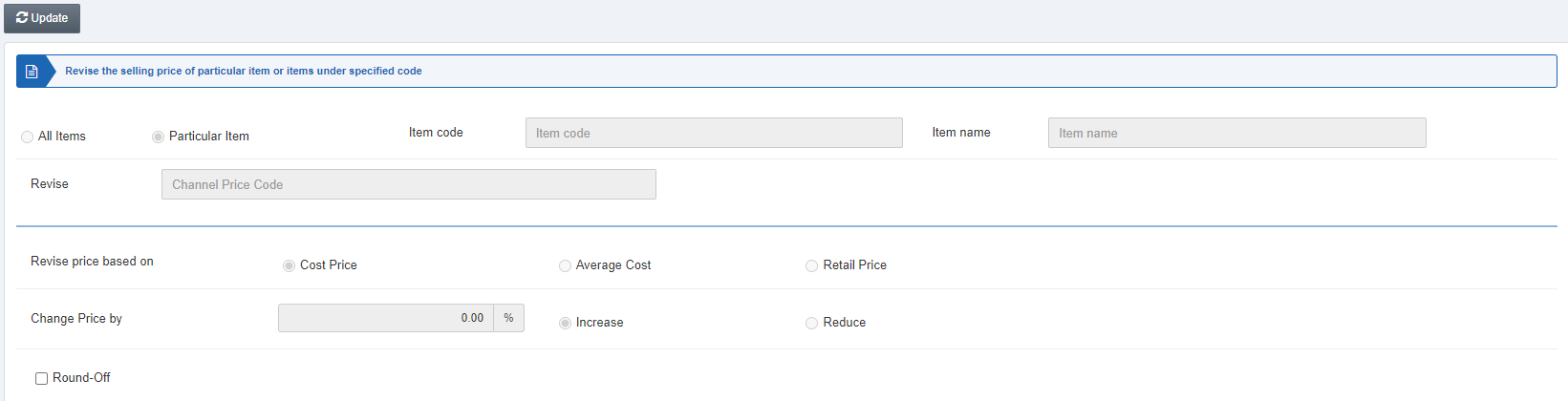 انقر على زر «تعديل» لتغيير سعر صنف ما.
انقر على زر الاختيار «جميع الأصناف» (All Items).
المراجعة (Revise): يتيح هذا الحقل اختيار قناة السعر من القائمة المنسدلة.
انقر على زر «تعديل» لتغيير سعر صنف ما.
انقر على زر الاختيار «جميع الأصناف» (All Items).
المراجعة (Revise): يتيح هذا الحقل اختيار قناة السعر من القائمة المنسدلة.
 مراجعة السعر بناءً على (Revise price based on): اختر أحد أزرار الاختيار الثلاثة: سعر التكلفة (Cost price) ومتوسط التكلفة (Average cost) وسعر التجزئة (Retail price).
تغيير السعر بمقدار (Change Price by): أدخل النسبة المئوية واختر أحد زرَّي الاختيار زيادة (Increase) وتخفيض (Reduce).
التقريب (Round-off): يتيح مربع الاختيار هذا تقريب الأرقام.
انقر على زر «حفظ» لحفظ المعلومات.
مراجعة السعر بناءً على (Revise price based on): اختر أحد أزرار الاختيار الثلاثة: سعر التكلفة (Cost price) ومتوسط التكلفة (Average cost) وسعر التجزئة (Retail price).
تغيير السعر بمقدار (Change Price by): أدخل النسبة المئوية واختر أحد زرَّي الاختيار زيادة (Increase) وتخفيض (Reduce).
التقريب (Round-off): يتيح مربع الاختيار هذا تقريب الأرقام.
انقر على زر «حفظ» لحفظ المعلومات.
ضبط مراجعة سعر البيع لصنف معيَّن
لضبط سعر البيع المعدَّل لصنف معيَّن في المخزون، انتقل إلى المخزون > البيانات الأساسية > مراجعة سعر البيع، فتظهر صفحة مراجعة سعر البيع. انقر على زر الاختيار «صنف معيَّن» (Particular Item). رمز الصنف (Item Code): أدخل رمز الصنف، على سبيل المثال، 0017 اسم الصنف (Item Name): يجلب النظام هذا الحقل تلقائيًا. المراجعة (Revise): يتيح هذا الحقل اختيار قناة السعر من القائمة المنسدلة. مراجعة السعر بناءً على (Revise price based on): اختر أحد أزرار الاختيار الثلاثة: سعر التكلفة (Cost price) ومتوسط التكلفة (Average cost) وسعر التجزئة (Retail price).
تغيير السعر بمقدار (Change Price by): أدخل النسبة المئوية واختر أحد زرَّي الاختيار زيادة (Increase) وتخفيض (Reduce).
التقريب (Round-off): يتيح مربع الاختيار هذا تقريب الأرقام.
انقر على زر «حفظ» لحفظ المعلومات.
مراجعة السعر بناءً على (Revise price based on): اختر أحد أزرار الاختيار الثلاثة: سعر التكلفة (Cost price) ومتوسط التكلفة (Average cost) وسعر التجزئة (Retail price).
تغيير السعر بمقدار (Change Price by): أدخل النسبة المئوية واختر أحد زرَّي الاختيار زيادة (Increase) وتخفيض (Reduce).
التقريب (Round-off): يتيح مربع الاختيار هذا تقريب الأرقام.
انقر على زر «حفظ» لحفظ المعلومات.
هل كان هذا المقال مفيداً؟
ابدأ مع SMACC اليوم
جرّب مجاناً لمدة 14 يوماً — بدون بطاقة ائتمان وبدون التزام.