
قائمة عروض بطاقة الصنف الترويجية
تساعدك قائمة عروض بطاقة الصنف الترويجية على عرض تقرير قائمة العروض الترويجية لبطاقة الصنف.
عرض قائمة عروض بطاقة الصنف الترويجية
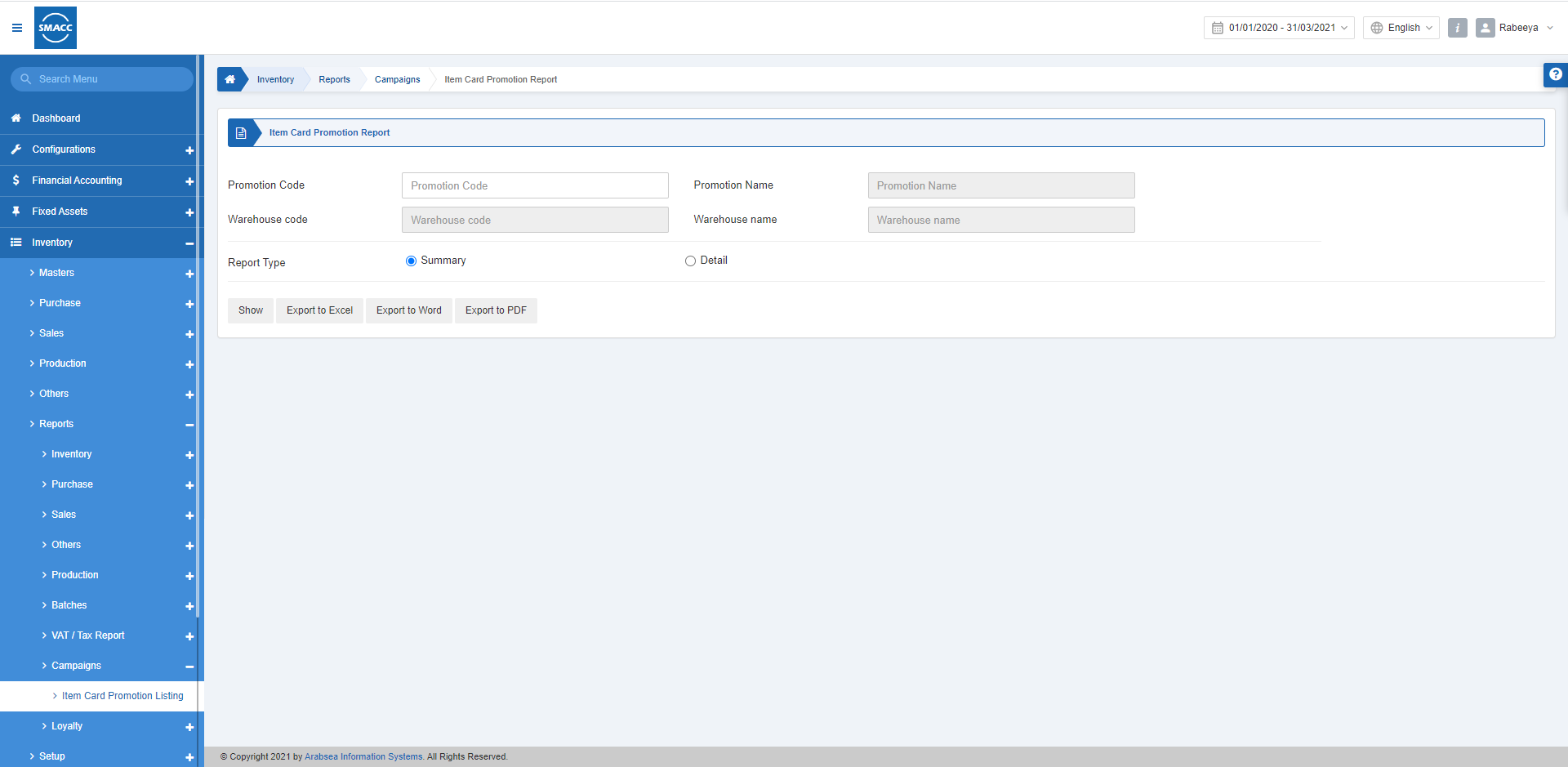
لعرض قائمة عروض بطاقة الصنف الترويجية، انتقل إلى المخزون > التقارير > الحملات > قائمة عروض بطاقة الصنف الترويجية، فتظهر صفحة قائمة عروض بطاقة الصنف الترويجية. «رمز العرض الترويجي»: يتيح لك هذا الحقل اختيار رمز العرض الترويجي من القائمة المنسدلة.
ويقوم النظام تلقائيًا بجلب باقي الحقول بناءً على رمز العرض الترويجي.
«نوع التقرير»: يوجد زرّا اختيار لعرض التقرير إما بشكل «ملخص» أو «تفصيلي».
«رمز العرض الترويجي»: يتيح لك هذا الحقل اختيار رمز العرض الترويجي من القائمة المنسدلة.
ويقوم النظام تلقائيًا بجلب باقي الحقول بناءً على رمز العرض الترويجي.
«نوع التقرير»: يوجد زرّا اختيار لعرض التقرير إما بشكل «ملخص» أو «تفصيلي».

 «عرض»: يعرض هذا الزر التقرير وفقًا للمرشحات المحددة.
«تصدير إلى Excel»: يتيح لك هذا الزر تصدير بيانات التقرير إلى Excel.
«تصدير إلى Word»: يتيح لك هذا الزر تصدير بيانات التقرير إلى Word.
«تصدير إلى PDF»: يتيح لك هذا الزر تصدير بيانات التقرير إلى PDF.
انقر على زر «عرض» لعرض التقرير.
«عرض»: يعرض هذا الزر التقرير وفقًا للمرشحات المحددة.
«تصدير إلى Excel»: يتيح لك هذا الزر تصدير بيانات التقرير إلى Excel.
«تصدير إلى Word»: يتيح لك هذا الزر تصدير بيانات التقرير إلى Word.
«تصدير إلى PDF»: يتيح لك هذا الزر تصدير بيانات التقرير إلى PDF.
انقر على زر «عرض» لعرض التقرير.
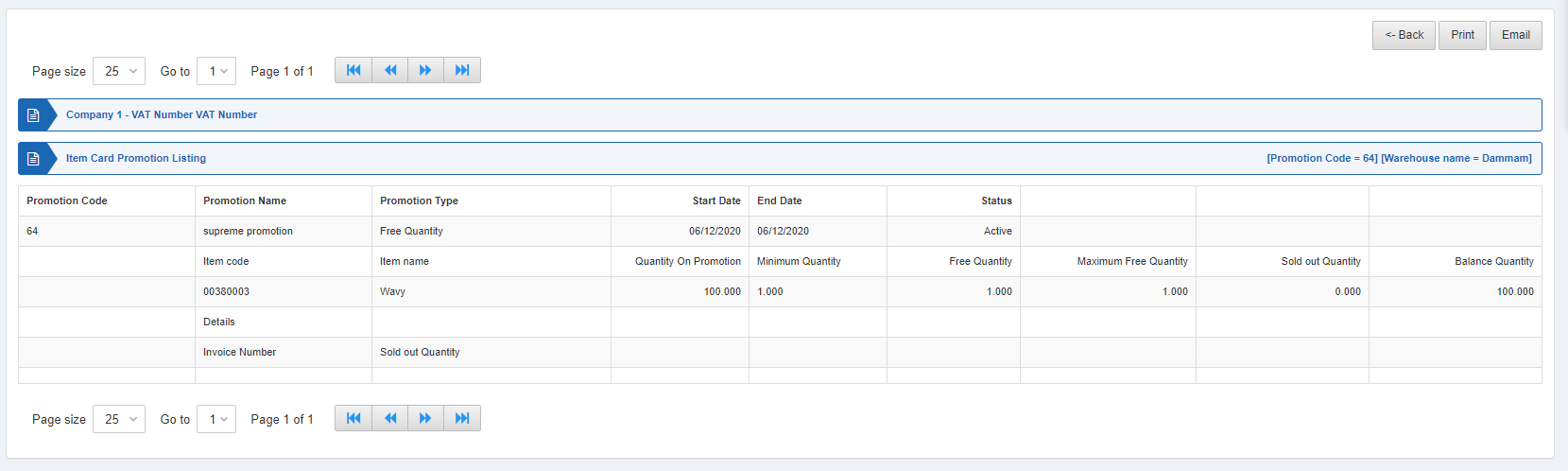 كما تتوفر أزرار التنقل لعرض الصفحات.
 «حجم الصفحة»: يمكنك ضبط عدد السجلات المعروضة في كل صفحة.
«الانتقال إلى»: يمكنك الانتقال إلى رقم الصفحة التي تريد عرضها.
«حجم الصفحة»: يمكنك ضبط عدد السجلات المعروضة في كل صفحة.
«الانتقال إلى»: يمكنك الانتقال إلى رقم الصفحة التي تريد عرضها.
 يمكنك العودة إلى الصفحة السابقة أو طباعة التقرير أو إرساله عبر البريد الإلكتروني.
هل كان هذا المقال مفيداً؟
ابدأ مع SMACC اليوم
جرّب مجاناً لمدة 14 يوماً — بدون بطاقة ائتمان وبدون التزام.