
قائمة ضريبة الوارد والصادر للصنف
يساعدك تقرير قائمة ضريبة الوارد والصادر للصنف على عرض تقرير قائمة الضريبة الواردة والصادرة لصنف معين.
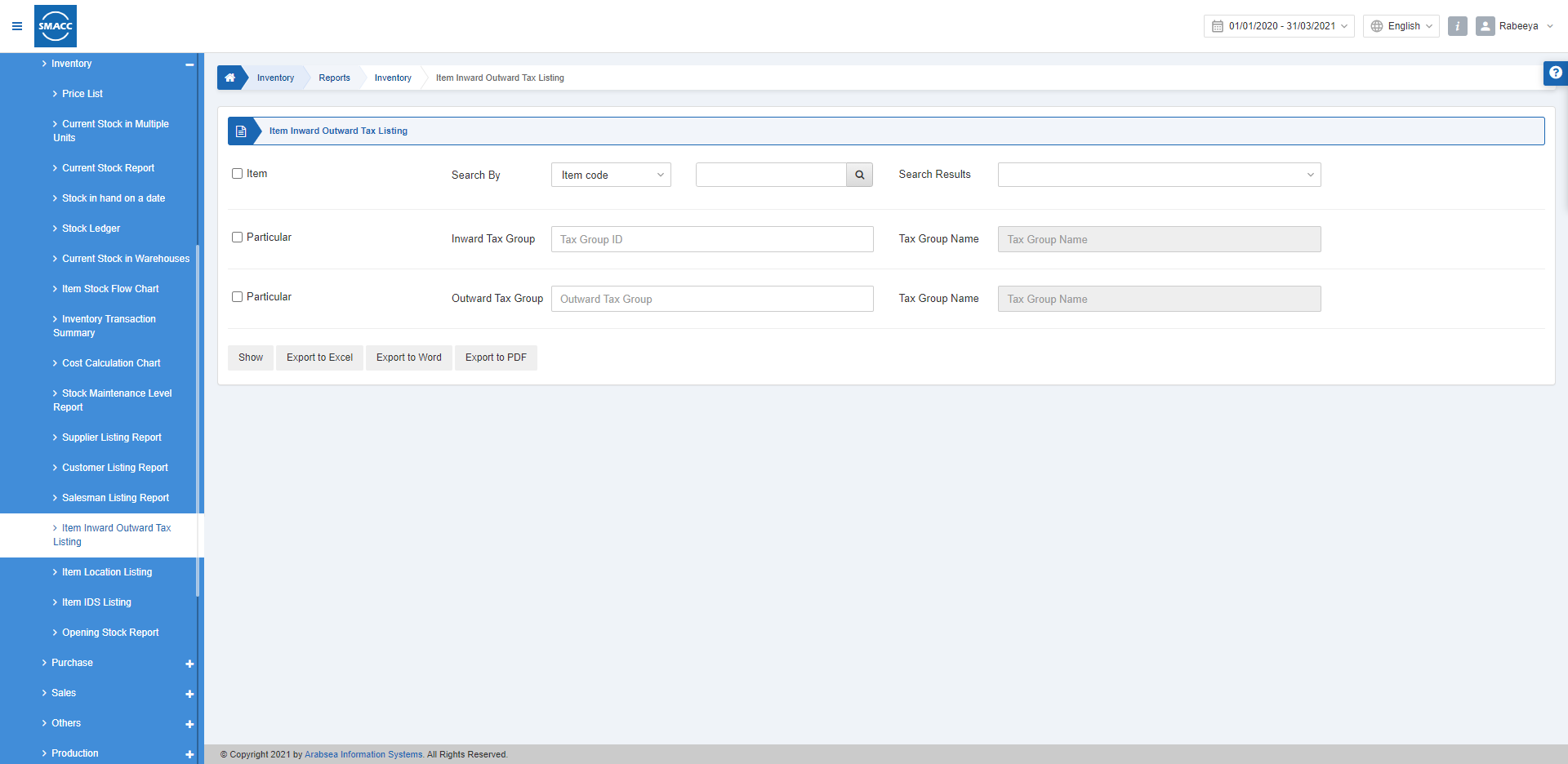
عرض قائمة ضريبة الوارد والصادر للصنف
لعرض تقرير قائمة ضريبة الوارد والصادر للصنف، انتقل إلى المخزون > التقارير > المخزون > تقرير قائمة ضريبة الوارد والصادر للصنف، فتظهر صفحة تقرير قائمة ضريبة الوارد والصادر للصنف.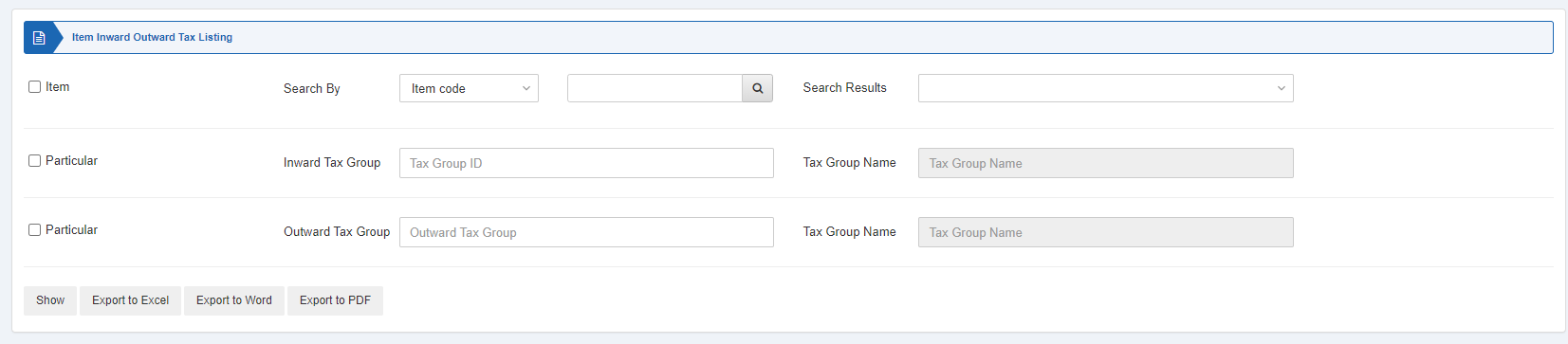 الصنف: يتم تحديد مربع الاختيار هذا واختيار رمز الصنف حسب الحاجة. وعند إلغاء تحديده تظهر جميع الأصناف. نتائج البحث: يجلب هذا الحقل الصنف الذي تم البحث عنه.
البند: يتم تحديد مربع الاختيار هذا واختيار مجموعة الضريبة الواردة. وعند إلغاء تحديده تظهر جميع مجموعات الضريبة الواردة.
البند: يتم تحديد مربع الاختيار هذا واختيار مجموعة الضريبة الصادرة. وعند إلغاء تحديده تظهر جميع مجموعات الضريبة الصادرة.
الصنف: يتم تحديد مربع الاختيار هذا واختيار رمز الصنف حسب الحاجة. وعند إلغاء تحديده تظهر جميع الأصناف. نتائج البحث: يجلب هذا الحقل الصنف الذي تم البحث عنه.
البند: يتم تحديد مربع الاختيار هذا واختيار مجموعة الضريبة الواردة. وعند إلغاء تحديده تظهر جميع مجموعات الضريبة الواردة.
البند: يتم تحديد مربع الاختيار هذا واختيار مجموعة الضريبة الصادرة. وعند إلغاء تحديده تظهر جميع مجموعات الضريبة الصادرة.
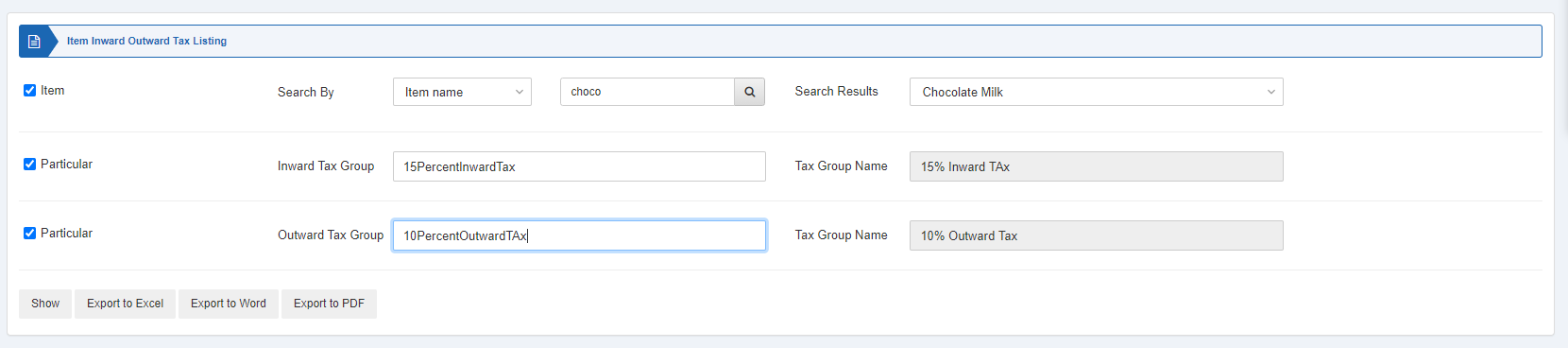
 «عرض»: يُظهر هذا الزر التقرير وفقاً للمرشحات المحددة.
«تصدير إلى Excel»: يتيح هذا الزر تصدير بيانات التقرير إلى Excel.
«تصدير إلى Word»: يتيح هذا الزر تصدير بيانات التقرير إلى Word.
«تصدير إلى PDF»: يتيح هذا الزر تصدير بيانات التقرير إلى PDF.
انقر على زر «عرض» لعرض التقرير.
«عرض»: يُظهر هذا الزر التقرير وفقاً للمرشحات المحددة.
«تصدير إلى Excel»: يتيح هذا الزر تصدير بيانات التقرير إلى Excel.
«تصدير إلى Word»: يتيح هذا الزر تصدير بيانات التقرير إلى Word.
«تصدير إلى PDF»: يتيح هذا الزر تصدير بيانات التقرير إلى PDF.
انقر على زر «عرض» لعرض التقرير.
 كما تتوفر أزرار التنقل الخاصة بعرض الصفحات.
 حجم الصفحة: يمكنك ضبط عدد الإدخالات في كل صفحة.
الانتقال إلى: يمكنك الانتقال إلى رقم الصفحة التي تريد عرضها.
حجم الصفحة: يمكنك ضبط عدد الإدخالات في كل صفحة.
الانتقال إلى: يمكنك الانتقال إلى رقم الصفحة التي تريد عرضها.
 يمكنك العودة إلى الصفحة السابقة أو طباعة التقرير أو إرساله عبر البريد الإلكتروني.
هل كان هذا المقال مفيداً؟
ابدأ مع SMACC اليوم
جرّب مجاناً لمدة 14 يوماً — بدون بطاقة ائتمان وبدون التزام.