
Stock Maintenance Level
The stock maintenance level allows you to set the minimum and maximum level limit of your item-wise stock.
Setting the Item-Wise Stock Level
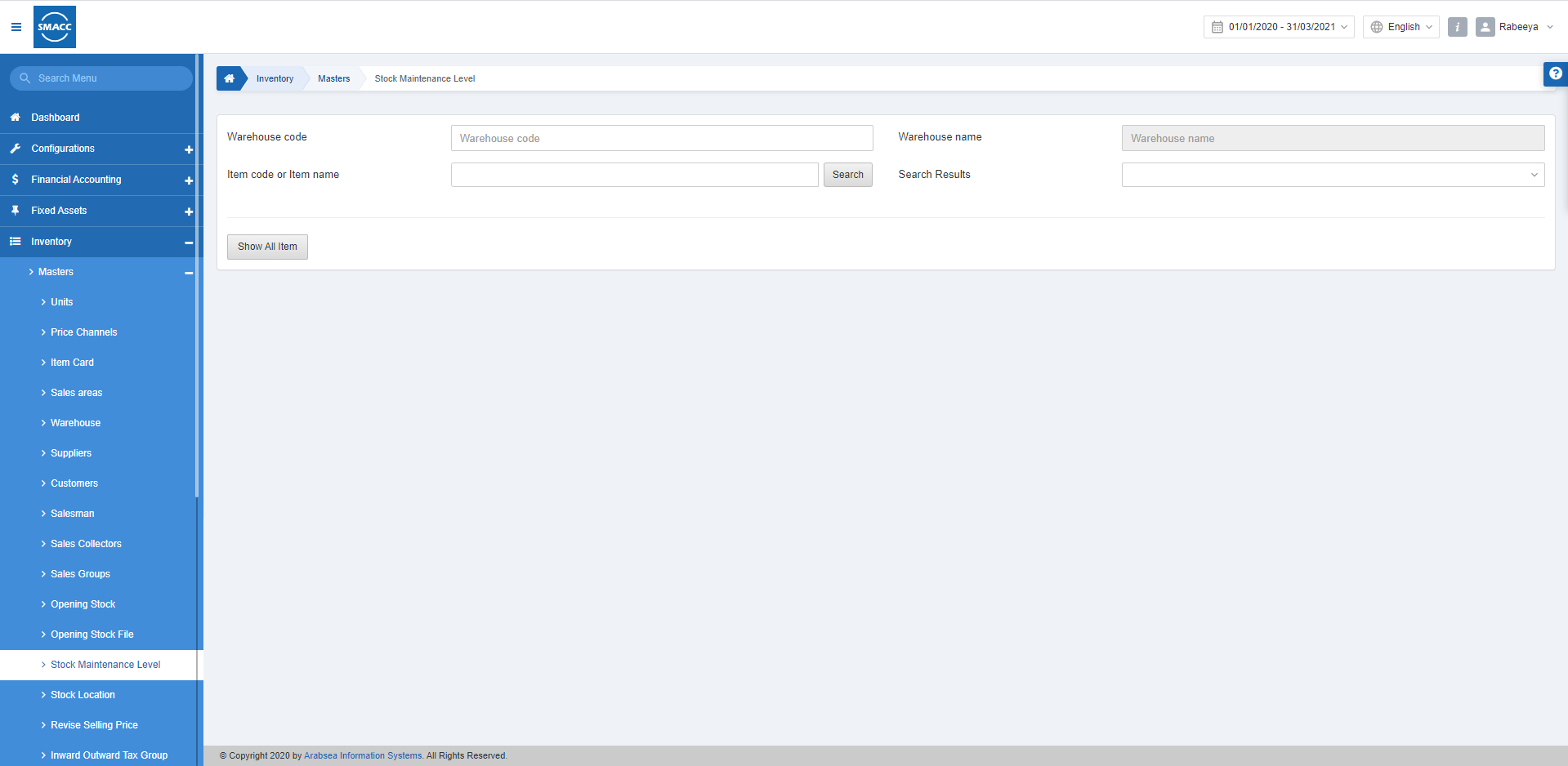
To set the item-wise stock level in inventory, go to Inventory > Masters > Stock Maintenance Level, the stock maintenance level page is displayed. Warehouse Code: This field allows the selection of the warehouse from the drop-down list.
Warehouse Name: This field is auto-fetched by the system based on the Warehouse Code.
Item Code or Item Name: Enter the particular item code or item name.
Click on the Search button.
Search Results: Select your desired item from the drop-down list.
Warehouse Code: This field allows the selection of the warehouse from the drop-down list.
Warehouse Name: This field is auto-fetched by the system based on the Warehouse Code.
Item Code or Item Name: Enter the particular item code or item name.
Click on the Search button.
Search Results: Select your desired item from the drop-down list.
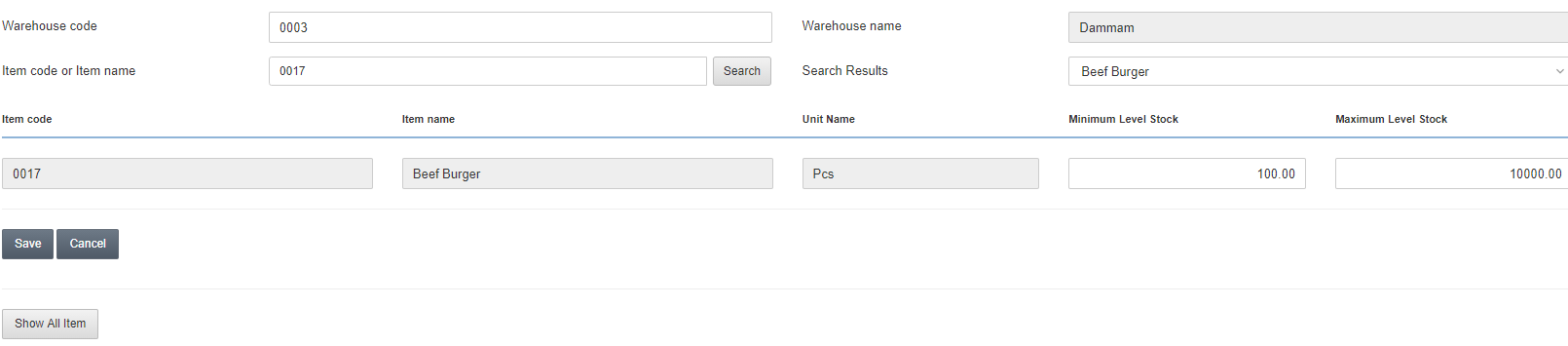 Minimum Level Stock: Enter the value of a minimum level stock. For example, 100.
Maximum Level Stock: Enter the value of a maximum level stock. For example, 10000.
Click on the Save button to save the information.
Minimum Level Stock: Enter the value of a minimum level stock. For example, 100.
Maximum Level Stock: Enter the value of a maximum level stock. For example, 10000.
Click on the Save button to save the information.
Viewing All the Item-Wise Stock Level
To view all the item-wise stock levels in inventory, go to Inventory > Masters > Stock Maintenance Level, the stock maintenance level page is displayed. Warehouse Code: This field allows the selection of the warehouse from the drop-down list.
Warehouse Name: This field is auto-fetched by the system based on the Warehouse Code.
Show All Items: Click on the Show All Items button to view all the items and their respective stocks.
Warehouse Code: This field allows the selection of the warehouse from the drop-down list.
Warehouse Name: This field is auto-fetched by the system based on the Warehouse Code.
Show All Items: Click on the Show All Items button to view all the items and their respective stocks.
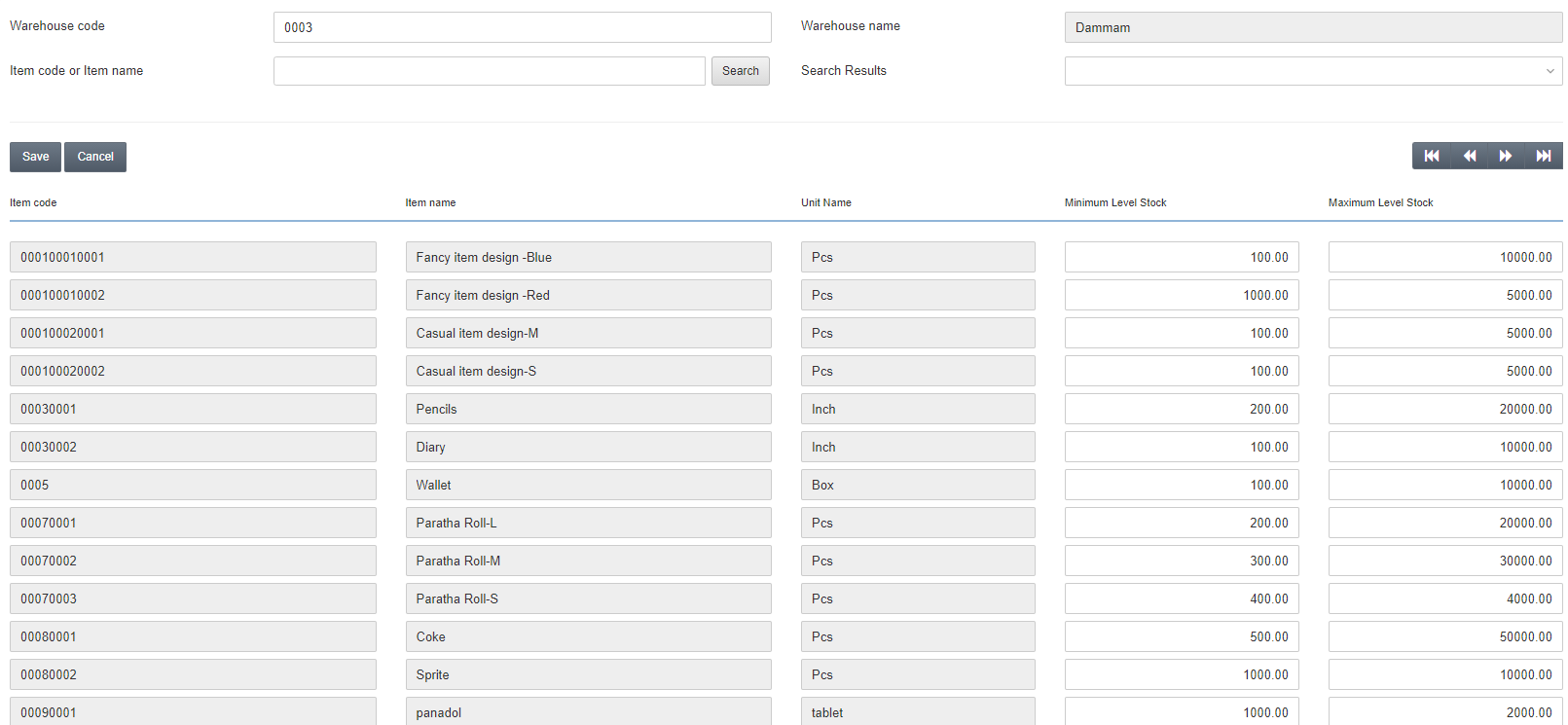 You can set the minimum and maximum level stock for any item in a selected warehouse.
Click on the Save button to save the information.
You can set the minimum and maximum level stock for any item in a selected warehouse.
Click on the Save button to save the information.
Was this article helpful?
Start with SMACC today
Try free for 14 days — no credit card, no commitment.