
دفاتر أستاذ الحسابات الفرعية
البحث عن «دفاتر أستاذ الحسابات الفرعية» في المحاسبة المالية.
للبحث عن دفاتر أستاذ الحسابات الفرعية في «المحاسبة المالية»، انقر على «المحاسبة المالية»، ثم «التقارير»، ثم «دفاتر الأستاذ والكشوف»، ثم انقر على «دفاتر أستاذ الحسابات الفرعية». ستظهر صفحة دفاتر أستاذ الحسابات الفرعية.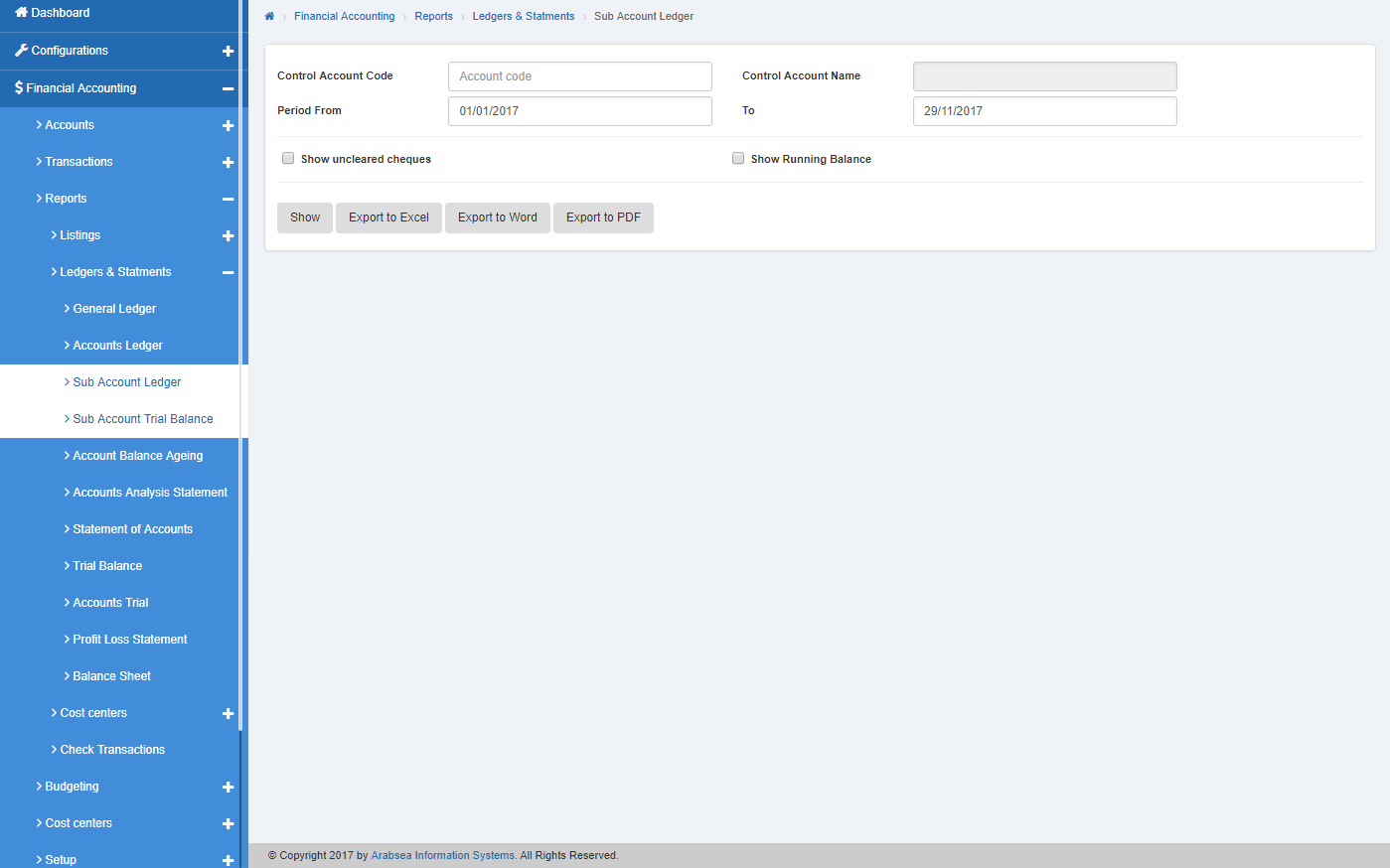 أدخل رمز الحساب الرئيسي (الحساب الضابط) أو انقر في حقل الإدخال «Control Account Code» فتظهر قائمة رموز الحسابات. اختر رمز الحساب المطلوب فيظهر اسم الحساب المحدد في حقل الإدخال «Account Name».
 أدخل التاريخ في حقلَي الإدخال الفترة «من» و«إلى».
 إذا كنت ترغب في البحث عن دفتر أستاذ الحساب الفرعي في المحاسبة المالية مع تفاصيل الرصيد الجاري للحساب، فحدّد مربع الاختيار «With running balance»، أو إذا كنت ترغب في البحث عن دفتر أستاذ الحساب الفرعي مع تفاصيل الشيكات غير المحصّلة، فحدّد مربع الاختيار «Show uncleared cheques». ويمكنك ضبط البحث المطلوب بتحديد مربع الاختيار أو إلغاء تحديده مقابل الاستعلام المطلوب.
 انقر على زر «عرض» فتظهر ورقة تفاصيل دفاتر أستاذ الحسابات الفرعية بالترتيب المحدد.
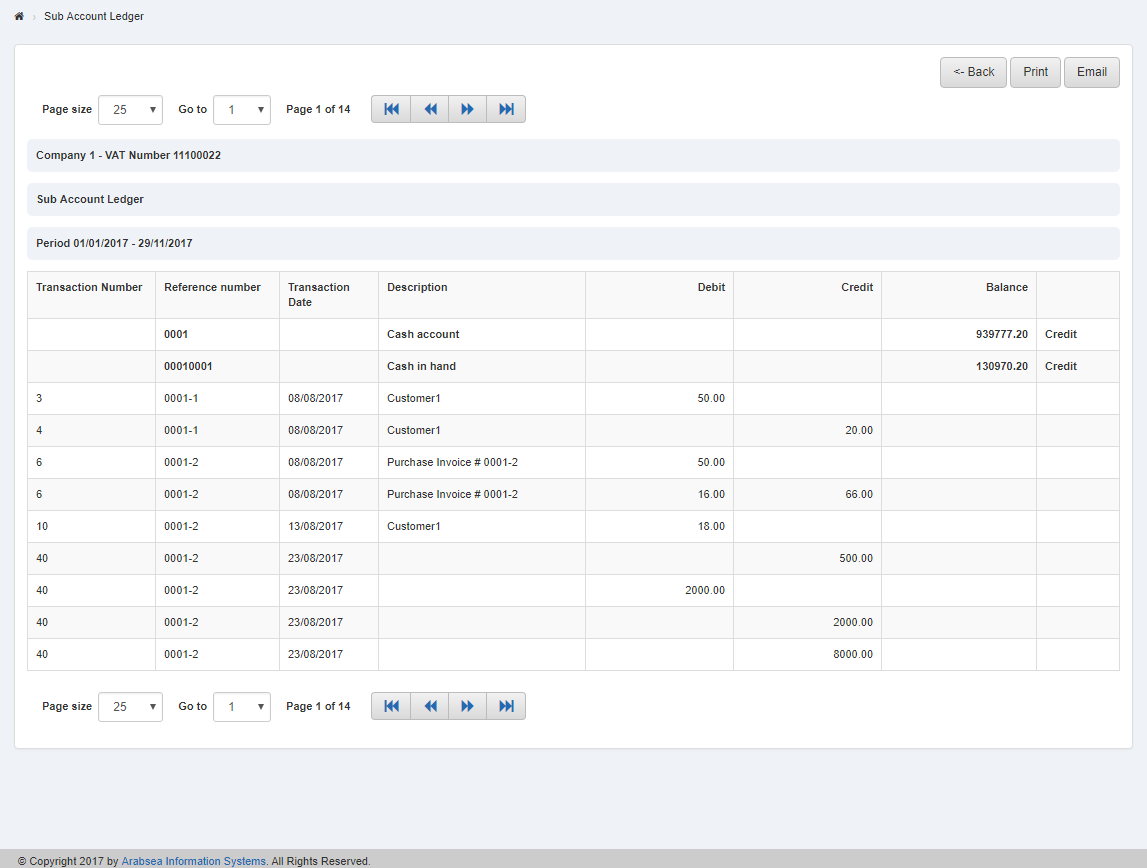 يمكنك تحديد حجم الصفحة بالنقر على «Page size» فتظهر قائمة أحجام الصفحات. اختر حجم الصفحة. وإذا كنت ترغب في تحديد رقم صفحة معيّن فانقر على زر «Navigation» أو انقر في «Go to» فتظهر قائمة الصفحات. اختر رقم الصفحة.
 إذا كنت ترغب في طباعة الصفحة فاختر الصفحة المطلوبة وانقر على زر «Print» في أعلى صفحة دفاتر أستاذ الحسابات الفرعية فيظهر مربع تأكيد.
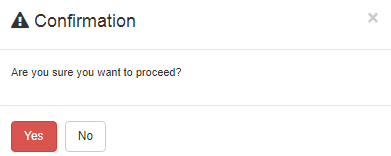 انقر على زر «نعم» لطباعة المعلومات.
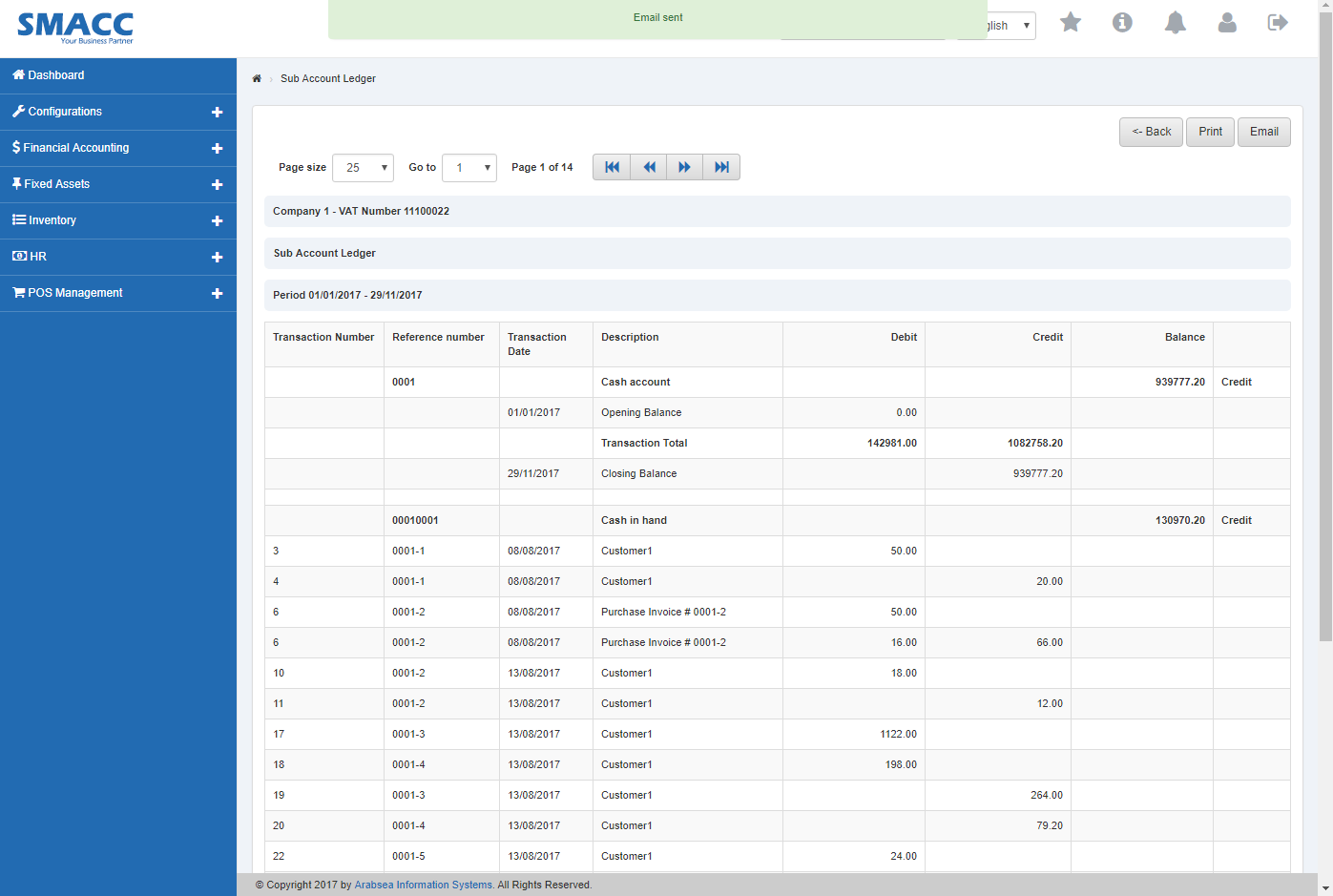
إذا كنت ترغب في إرسال المعلومات عبر البريد الإلكتروني فانقر على زر «Email» فتظهر رسالة تأكيد البريد الإلكتروني في أعلى صفحة دفاتر أستاذ الحسابات الفرعية.
انقر على زر «نعم» لطباعة المعلومات.
إذا كنت ترغب في إرسال المعلومات عبر البريد الإلكتروني فانقر على زر «Email» فتظهر رسالة تأكيد البريد الإلكتروني في أعلى صفحة دفاتر أستاذ الحسابات الفرعية.
تصدير دفتر أستاذ الحسابات الفرعية إلى Excel.
للبحث عن دفاتر أستاذ الحسابات الفرعية في «المحاسبة المالية»، انقر على «المحاسبة المالية»، ثم «التقارير»، ثم «دفاتر الأستاذ والكشوف»، ثم انقر على «دفاتر أستاذ الحسابات الفرعية». ستظهر صفحة دفاتر أستاذ الحسابات الفرعية.
أدخل رمز الحساب الرئيسي (الحساب الضابط) أو انقر في حقل الإدخال «Control Account Code» فتظهر قائمة رموز الحسابات. اختر رمز الحساب المطلوب فيظهر اسم الحساب المحدد في حقل الإدخال «Account Name».
أدخل التاريخ في حقلَي الإدخال الفترة «من» و«إلى».
إذا كنت ترغب في البحث عن دفتر أستاذ الحساب الفرعي في المحاسبة المالية مع تفاصيل الرصيد الجاري للحساب، فحدّد مربع الاختيار «With running balance»، أو إذا كنت ترغب في البحث عن دفتر أستاذ الحساب الفرعي مع تفاصيل الشيكات غير المحصّلة، فحدّد مربع الاختيار «Show uncleared cheques». ويمكنك ضبط البحث المطلوب بتحديد مربع الاختيار أو إلغاء تحديده مقابل الاستعلام المطلوب.
انقر على زر «عرض» فتظهر ورقة تفاصيل دفاتر أستاذ الحسابات الفرعية بالترتيب المحدد.
يمكنك تحديد حجم الصفحة بالنقر على «Page size» فتظهر قائمة أحجام الصفحات. اختر حجم الصفحة. وإذا كنت ترغب في تحديد رقم صفحة معيّن فانقر على زر «Navigation» أو انقر في «Go to» فتظهر قائمة الصفحات. اختر رقم الصفحة.
إذا كنت ترغب في طباعة الصفحة فاختر الصفحة المطلوبة وانقر على زر «Print» في أعلى صفحة دفاتر أستاذ الحسابات الفرعية فيظهر مربع تأكيد.
انقر على زر «نعم» لطباعة المعلومات.
إذا كنت ترغب في إرسال المعلومات عبر البريد الإلكتروني فانقر على زر «Email» فتظهر رسالة تأكيد البريد الإلكتروني في أعلى صفحة دفتر أستاذ الحسابات الفرعية.
انقر على زر «تصدير إلى Excel» فيتم تنزيل دفاتر أستاذ الحسابات الفرعية بصيغة Excel. انقر في مربع الرسالة في الزاوية العلوية من الصفحة.
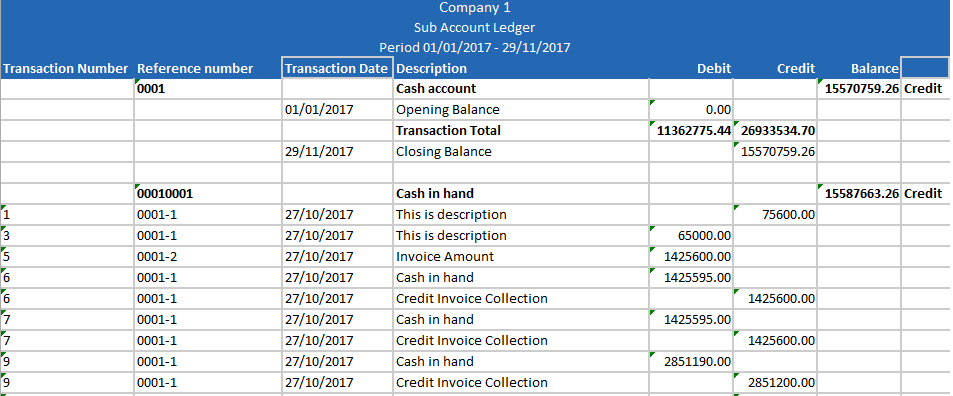
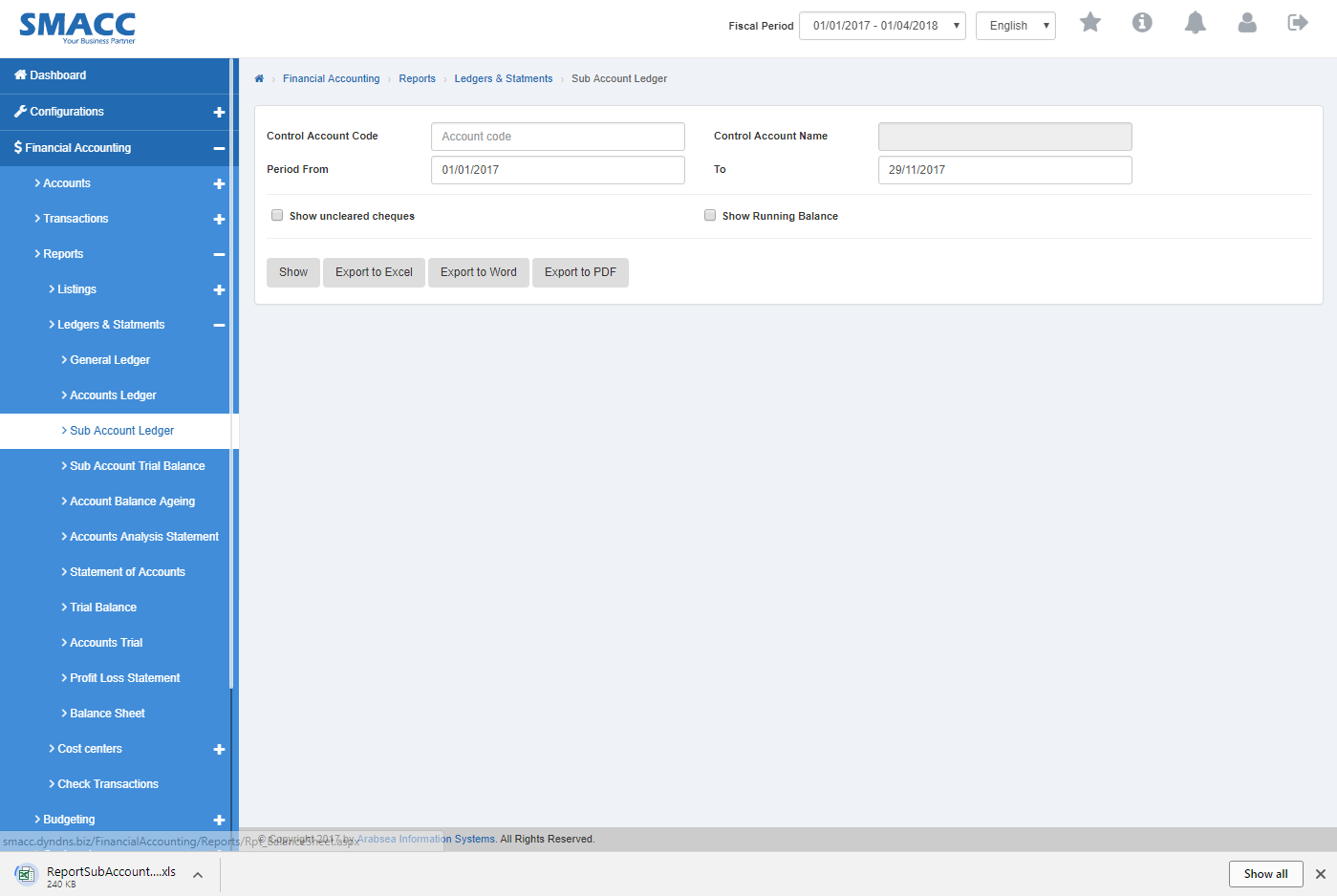 ستظهر دفاتر أستاذ الحسابات الفرعية بصيغة Excel.
تصدير دفاتر أستاذ الحسابات الفرعية إلى Word.
للبحث عن دفاتر أستاذ الحسابات الفرعية في «المحاسبة المالية»، انقر على «المحاسبة المالية»، ثم «التقارير»، ثم «دفاتر الأستاذ والكشوف»، ثم انقر على «دفاتر أستاذ الحسابات الفرعية». ستظهر صفحة دفاتر أستاذ الحسابات الفرعية.
أدخل رمز الحساب الرئيسي (الحساب الضابط) أو انقر في حقل الإدخال «Control Account Code» فتظهر قائمة رموز الحسابات. اختر رمز الحساب المطلوب فيظهر اسم الحساب المحدد في حقل الإدخال «Account Name».
أدخل التاريخ في حقلَي الإدخال الفترة «من» و«إلى».
إذا كنت ترغب في البحث عن دفتر أستاذ الحساب الفرعي في المحاسبة المالية مع تفاصيل الرصيد الجاري للحساب، فحدّد مربع الاختيار «With running balance»، أو إذا كنت ترغب في البحث عن دفتر أستاذ الحساب الفرعي مع تفاصيل الشيكات غير المحصّلة، فحدّد مربع الاختيار «Show uncleared cheques». ويمكنك ضبط البحث المطلوب بتحديد مربع الاختيار أو إلغاء تحديده مقابل الاستعلام المطلوب.
انقر على زر «عرض» فتظهر ورقة تفاصيل دفاتر أستاذ الحسابات الفرعية بالترتيب المحدد.
يمكنك تحديد حجم الصفحة بالنقر على «Page size» فتظهر قائمة أحجام الصفحات. اختر حجم الصفحة. وإذا كنت ترغب في تحديد رقم صفحة معيّن فانقر على زر «Navigation» أو انقر في «Go to» فتظهر قائمة الصفحات. اختر رقم الصفحة.
إذا كنت ترغب في طباعة الصفحة فاختر الصفحة المطلوبة وانقر على زر «Print» في أعلى صفحة دفاتر أستاذ الحسابات الفرعية فيظهر مربع تأكيد.
انقر على زر «نعم» لطباعة المعلومات.
إذا كنت ترغب في إرسال المعلومات عبر البريد الإلكتروني فانقر على زر «Email» فتظهر رسالة تأكيد البريد الإلكتروني في أعلى صفحة دفاتر أستاذ الحسابات الفرعية.
انقر على زر «تصدير إلى Word» فيتم تنزيل دفاتر أستاذ الحسابات الفرعية بصيغة Word. انقر في مربع الرسالة في الزاوية العلوية من الصفحة.
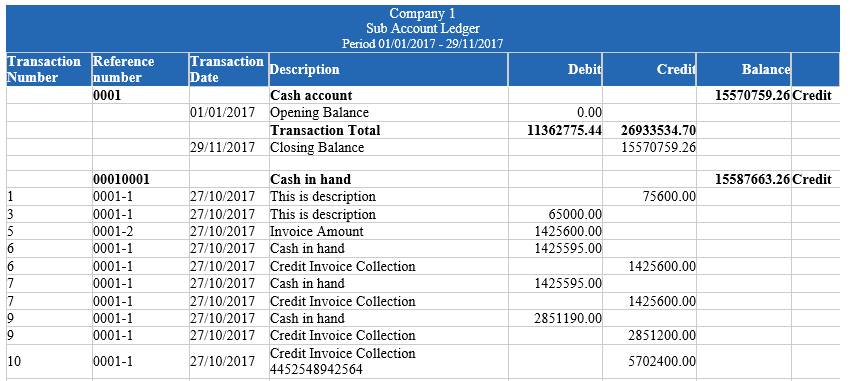
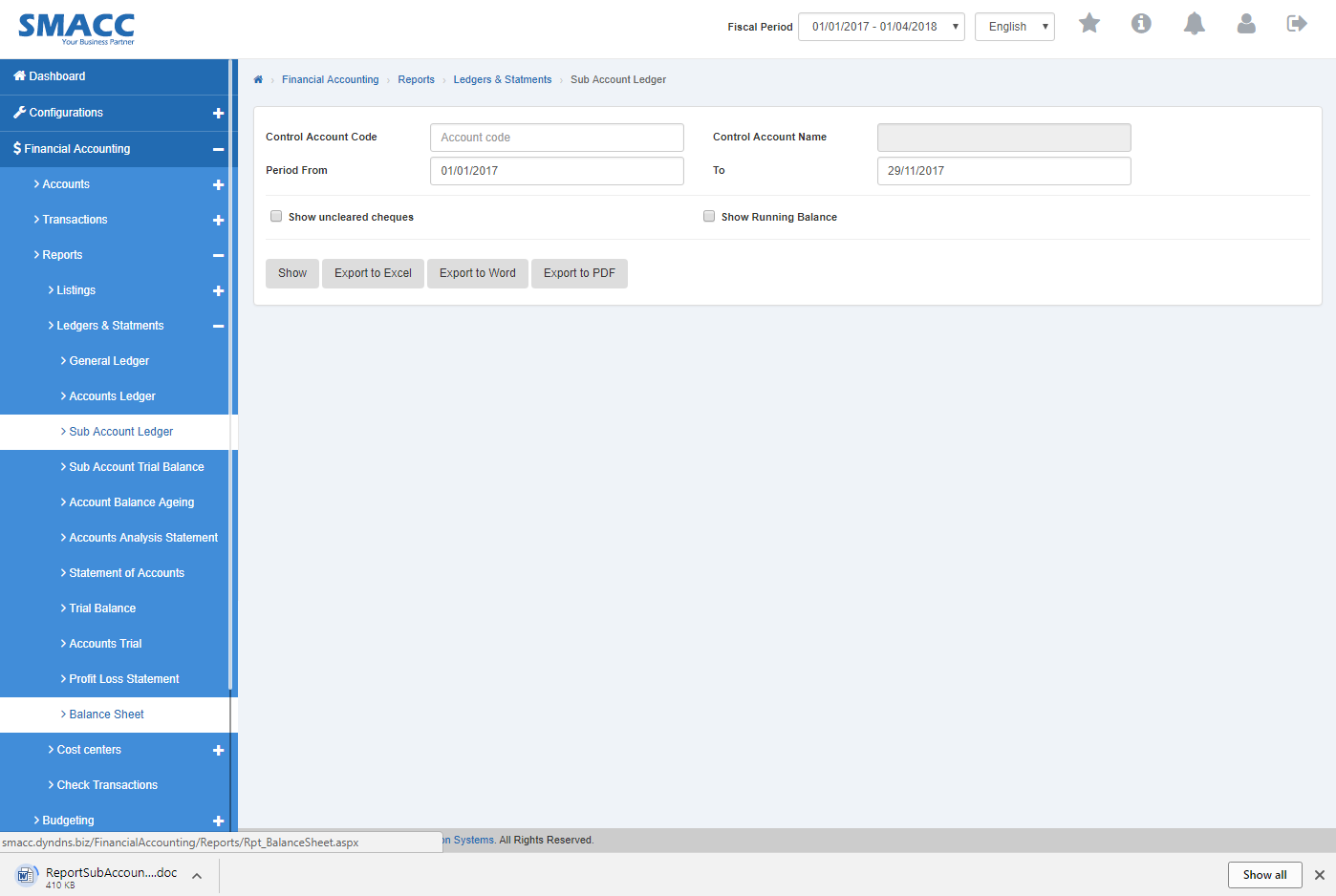 ستظهر دفاتر أستاذ الحسابات الفرعية بصيغة Word.
تصدير دفاتر أستاذ الحسابات الفرعية إلى PDF.
للبحث عن دفاتر أستاذ الحسابات الفرعية في «المحاسبة المالية»، انقر على «المحاسبة المالية»، ثم «التقارير»، ثم «دفاتر الأستاذ والكشوف»، ثم انقر على «دفاتر أستاذ الحسابات الفرعية». ستظهر صفحة دفاتر أستاذ الحسابات الفرعية.
أدخل رمز الحساب الرئيسي (الحساب الضابط) أو انقر في حقل الإدخال «Control Account Code» فتظهر قائمة رموز الحسابات. اختر رمز الحساب المطلوب فيظهر اسم الحساب المحدد في حقل الإدخال «Account Name».
أدخل التاريخ في حقلَي الإدخال الفترة «من» و«إلى».
إذا كنت ترغب في البحث عن دفتر أستاذ الحساب الفرعي في المحاسبة المالية مع تفاصيل الرصيد الجاري للحساب، فحدّد مربع الاختيار «With running balance»، أو إذا كنت ترغب في البحث عن دفتر أستاذ الحساب الفرعي مع تفاصيل الشيكات غير المحصّلة، فحدّد مربع الاختيار «Show uncleared cheques». ويمكنك ضبط البحث المطلوب بتحديد مربع الاختيار أو إلغاء تحديده مقابل الاستعلام المطلوب.
انقر على زر «عرض» فتظهر ورقة تفاصيل دفاتر أستاذ الحسابات الفرعية بالترتيب المحدد.
يمكنك تحديد حجم الصفحة بالنقر على «Page size» فتظهر قائمة أحجام الصفحات. اختر حجم الصفحة. وإذا كنت ترغب في تحديد رقم صفحة معيّن فانقر على زر «Navigation» أو انقر في «Go to» فتظهر قائمة الصفحات. اختر رقم الصفحة.
إذا كنت ترغب في طباعة الصفحة فاختر الصفحة المطلوبة وانقر على زر «Print» في أعلى صفحة دفاتر أستاذ الحسابات الفرعية فيظهر مربع تأكيد.
انقر على زر «نعم» لطباعة المعلومات.
إذا كنت ترغب في إرسال المعلومات عبر البريد الإلكتروني فانقر على زر «Email» فتظهر رسالة تأكيد البريد الإلكتروني في أعلى صفحة دفاتر أستاذ الحسابات الفرعية.
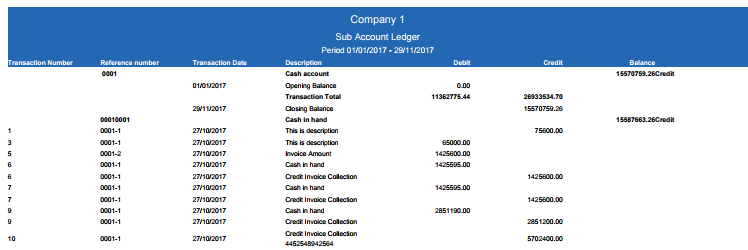
انقر على زر «تصدير إلى PDF» فيتم تنزيل دفاتر أستاذ الحسابات الفرعية بصيغة PDF. انقر في مربع الرسالة في الزاوية العلوية من الصفحة.
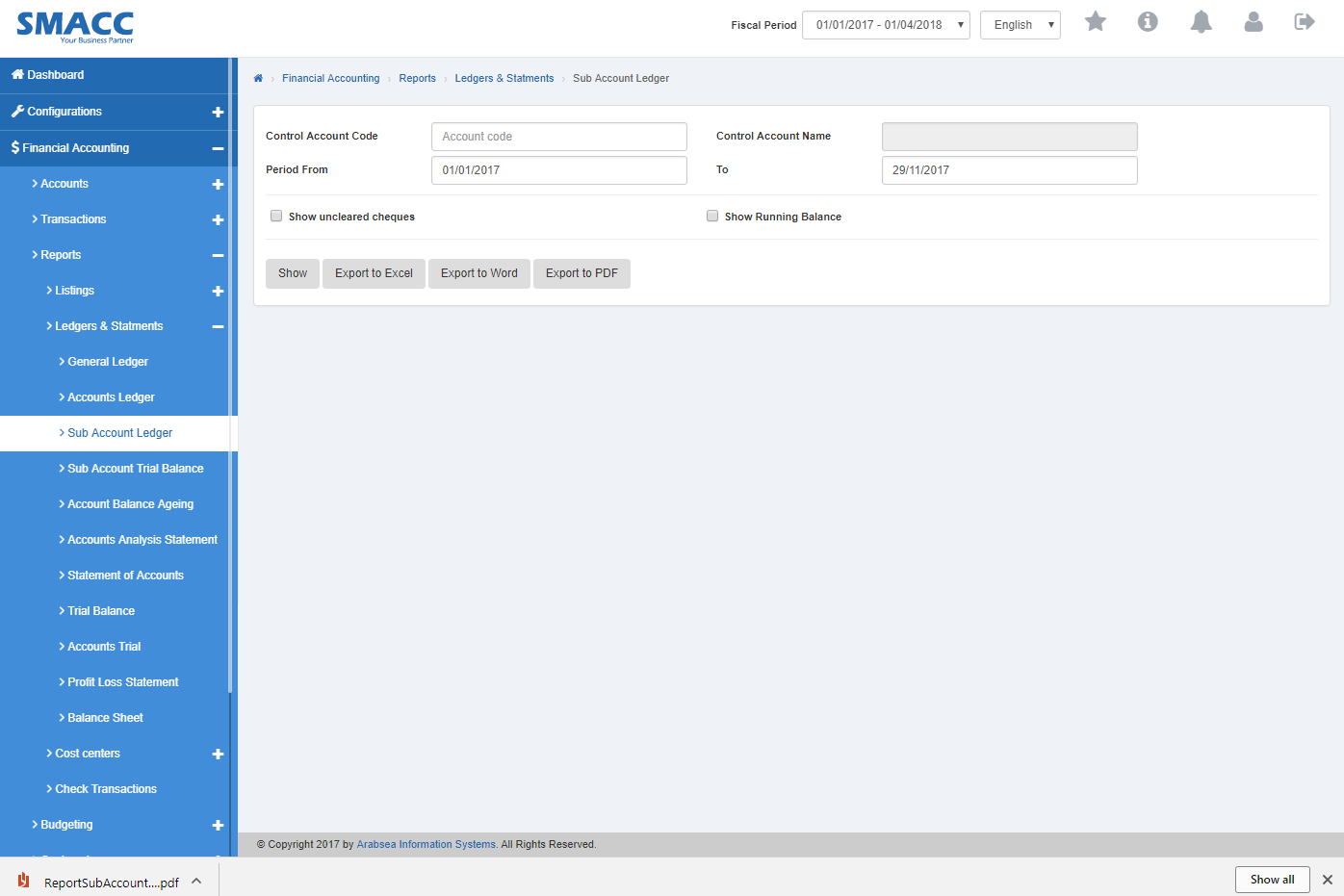 ستظهر دفاتر أستاذ الحسابات الفرعية بصيغة PDF.
هل كان هذا المقال مفيداً؟
ابدأ مع SMACC اليوم
جرّب مجاناً لمدة 14 يوماً — بدون بطاقة ائتمان وبدون التزام.