
Cost Center Accounts Budget - Monthly Analysis
Search “Cost Center Accounts Budget Monthly Analysis Report” in Financial Accounting
Click on the "financial Accounting", in main menu then click on "Reports" then “Cost Center” then “Cost Center Accounts Budget Monthly Analysis”. Cost Center Accounts Budget Monthly Analysis Report page will be displayed.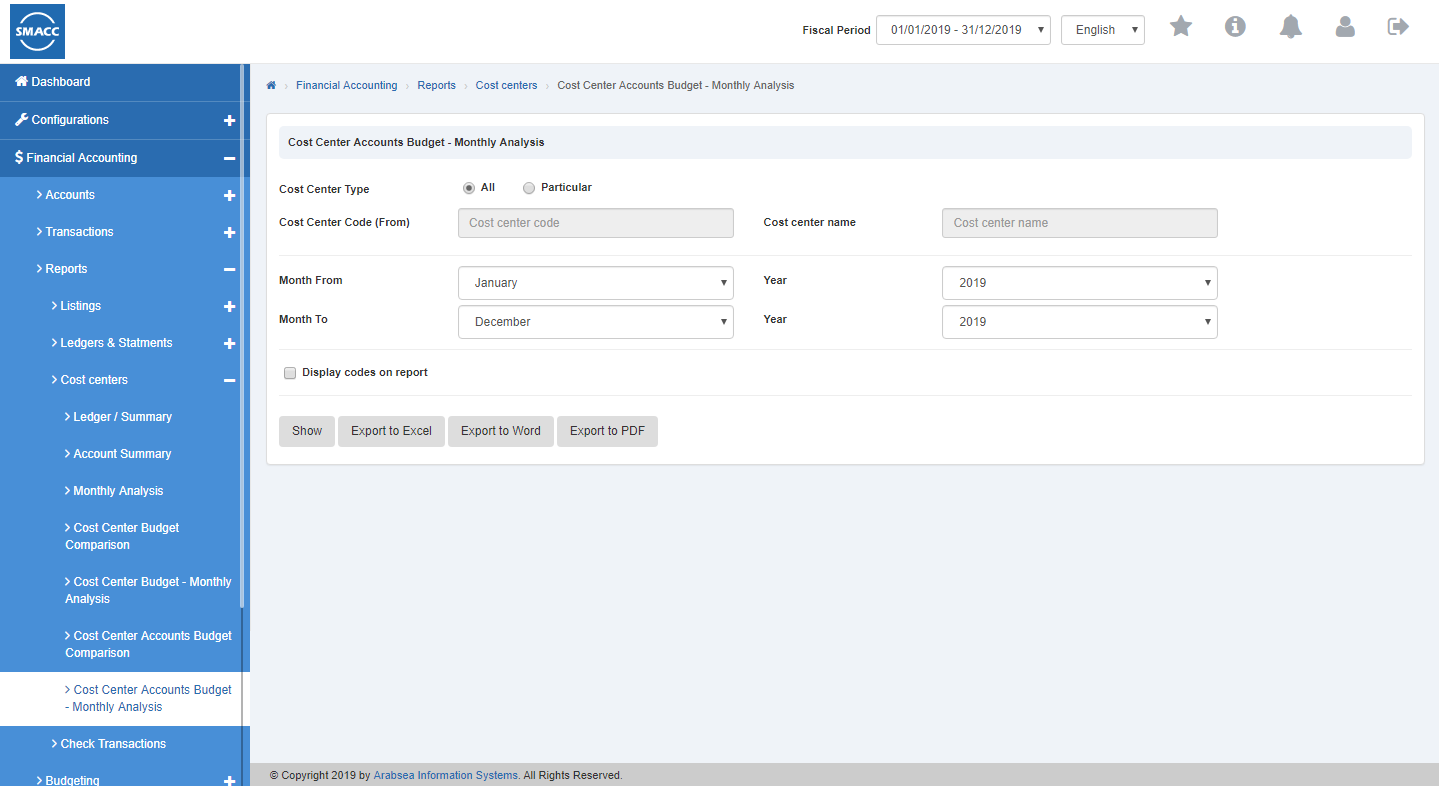 Enter month from or click on “Month From” input box then month from dropdown will be shown. Select your desired month then selected month will be displayed in “Month From” input box.
 Enter month to or click on “Month to” input box then month name to dropdown will be shown. Select your desired month to then selected month name to will be displayed in “Month to” input box.
 Click on “Show” button then Report will show all results for specific Cost Center accounts Budget Monthly analysis.
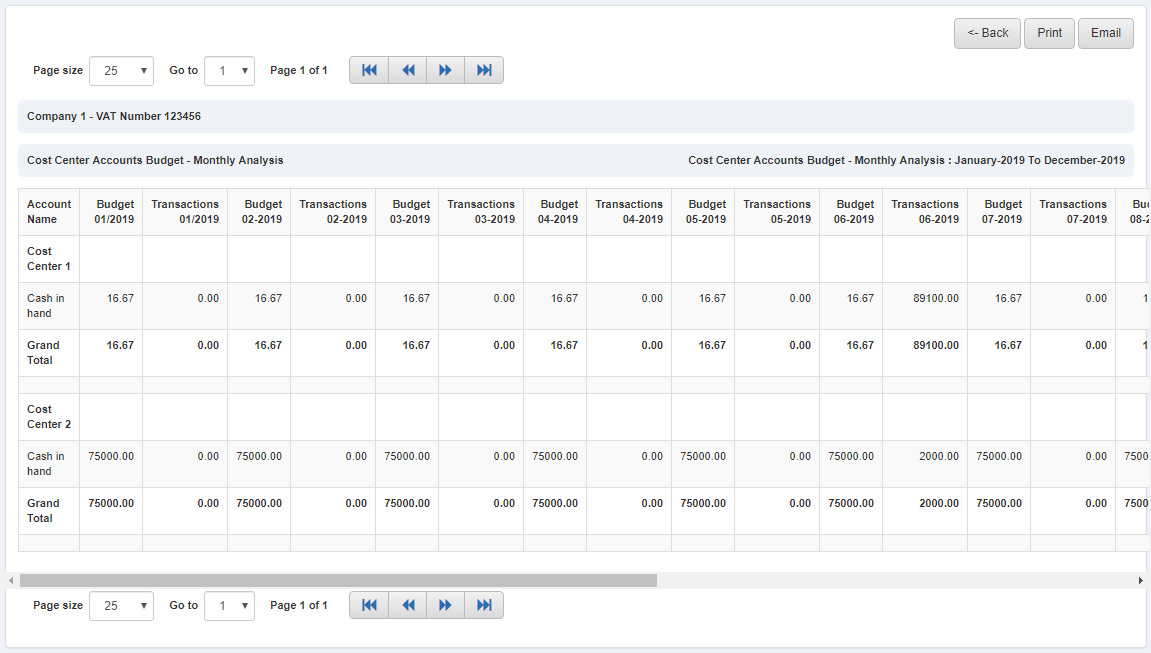
Export “Cost Center Accounts Budget Monthly Analysis Report” To Excel.
Click on the "financial Accounting", in main menu then click on "Reports" then “Cost Center” then “Cost Center Accounts Budget Monthly Analysis”. Cost Center Accounts Budget Monthly Analysis Report page will be displayed.
Enter month from or click on “Month From” input box then month from dropdown will be shown. Select your desired month then selected month will be displayed in “Month From” input box.
Enter month to or click on “Month to” input box then month name to dropdown will be shown. Select your desired month to then selected month name to will be displayed in “Month to” input box.
Click on “Export to Excel” button then it will download Cost Center accounts Budget monthly analysis Report in Excel format.
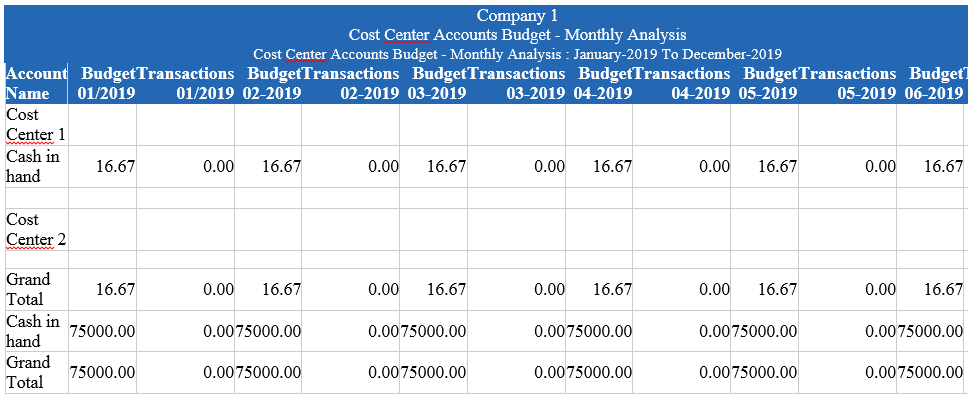
 It will display Cost Center accounts Budget monthly analysis Report in Excel format.

Export “Cost Center accounts Budget Monthly Analysis Report” To Word.
Click on the "financial Accounting", in main menu then click on "Reports" then “Cost Center” then “Cost Center Accounts Budget Monthly Analysis”. Cost Center Accounts Budget Monthly Analysis Report page will be displayed.
Enter month from or click on “Month From” input box then month from dropdown will be shown. Select your desired month then selected month will be displayed in “Month From” input box.
Enter month to or click on “Month to” input box then month name to dropdown will be shown. Select your desired month to then selected month name to will be displayed in “Month to” input box.
Click on “Export to Word” button then it will download Cost Center accounts Budget monthly analysis Report in Word format.
 It will display Cost Center accounts Budget monthly analysis Report in word format.
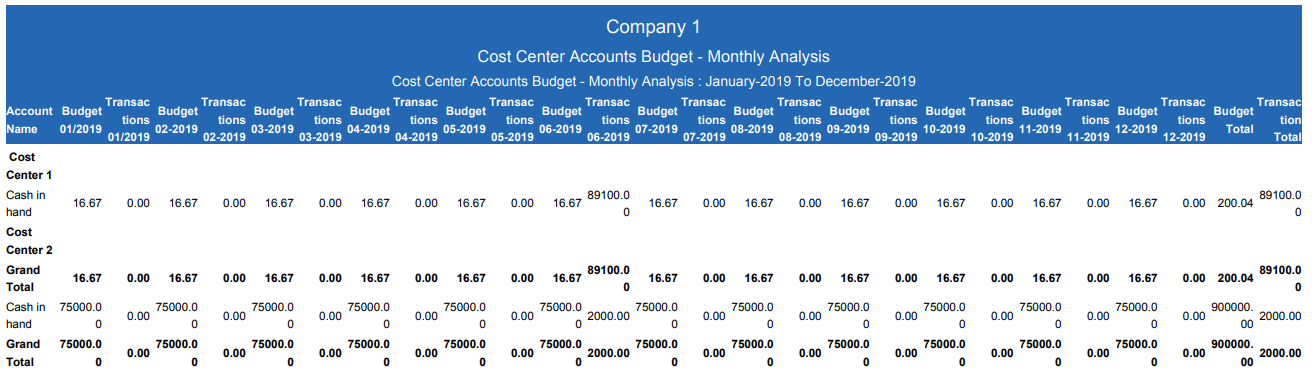
Export “Cost Center Accounts Budget Monthly Analysis Report” To PDF.
Click on the "financial Accounting", in main menu then click on "Reports" then “Cost Center” then “Cost Center Accounts Budget Monthly Analysis”. Cost Center Accounts Budget Monthly Analysis Report page will be displayed.
Enter month from or click on “Month From” input box then month from dropdown will be shown. Select your desired month then selected month will be displayed in “Month From” input box.
Enter month to or click on “Month to” input box then month name to dropdown will be shown. Select your desired month to then selected month name to will be displayed in “Month to” input box.
Click on “Export to PDF” button then it will download Cost Center accounts Budget monthly analysis Report in PDF format.
 It will display Cost Center accounts Budget monthly analysis Report in PDF format.
Print “Cost Center Accounts Budget Monthly Analysis Report" In Financial Accounting
Click on the "financial Accounting", in main menu then click on "Reports" then “Cost Center” then “Cost Center Accounts Budget Monthly Analysis”. Cost Center Accounts Budget Monthly Analysis Report page will be displayed.
Enter month from or click on “Month From” input box then month from dropdown will be shown. Select your desired month then selected month will be displayed in “Month From” input box.
Enter month to or click on “Month to” input box then month name to dropdown will be shown. Select your desired month to then selected month name to will be displayed in “Month to” input box.
Click on “Show” button then Report will show all results for specific Cost Center Accounts Budget Comparison.
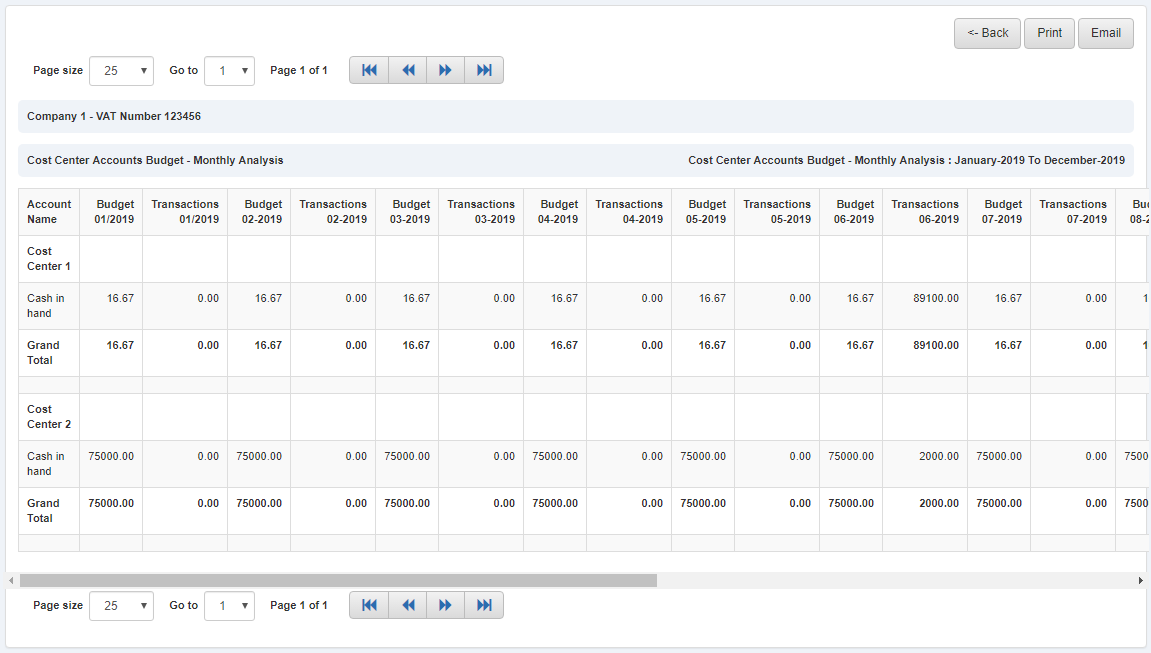 If you need to perform Print operation in Cost Center Accounts Budget Monthly analysis Report information then click on "Print" button. Confirmation pop-up will appear.
 If you want to print the record then you may click on "Yes" button and record will be printed otherwise click on “No” button.
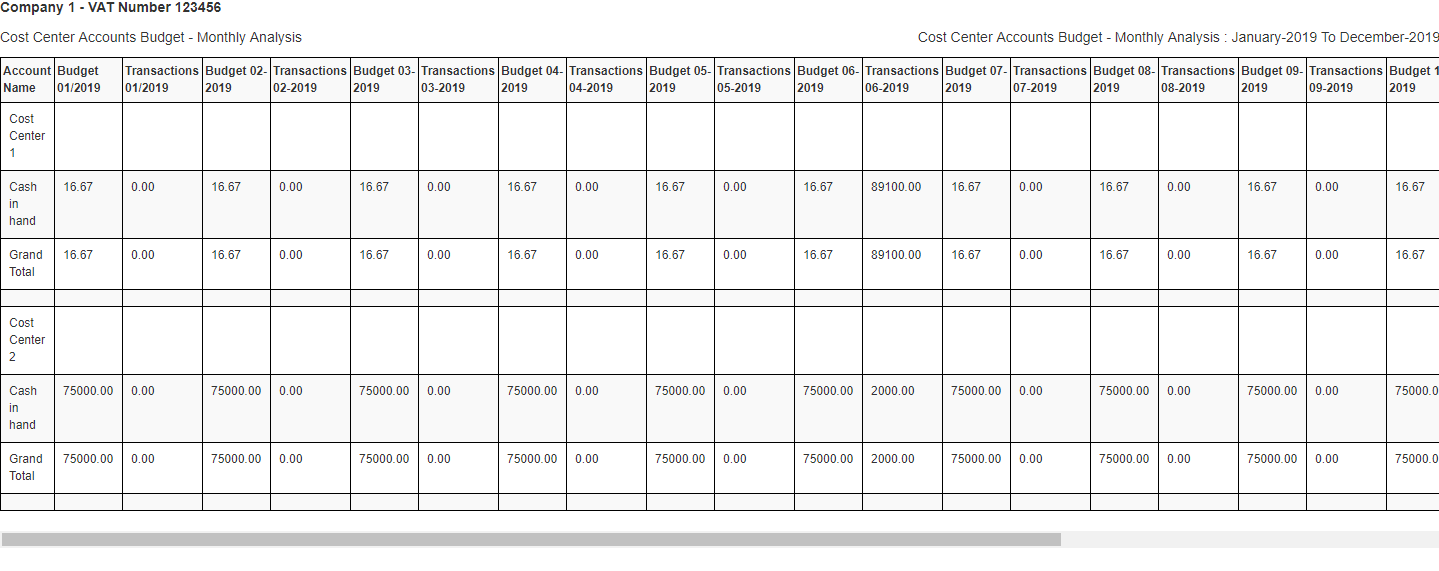
Cost Center Accounts Budget Monthly analysis Report information will be printed.
If you want to print the record then you may click on "Yes" button and record will be printed otherwise click on “No” button.
Cost Center Accounts Budget Monthly analysis Report information will be printed.
Was this article helpful?
Start with SMACC today
Try free for 14 days — no credit card, no commitment.