
قائمة الفواتير الآجلة المعلّقة
تتيح لك قائمة الفواتير الآجلة المعلّقة عرض تقرير الفواتير الآجلة المعلّقة في قسم المبيعات.
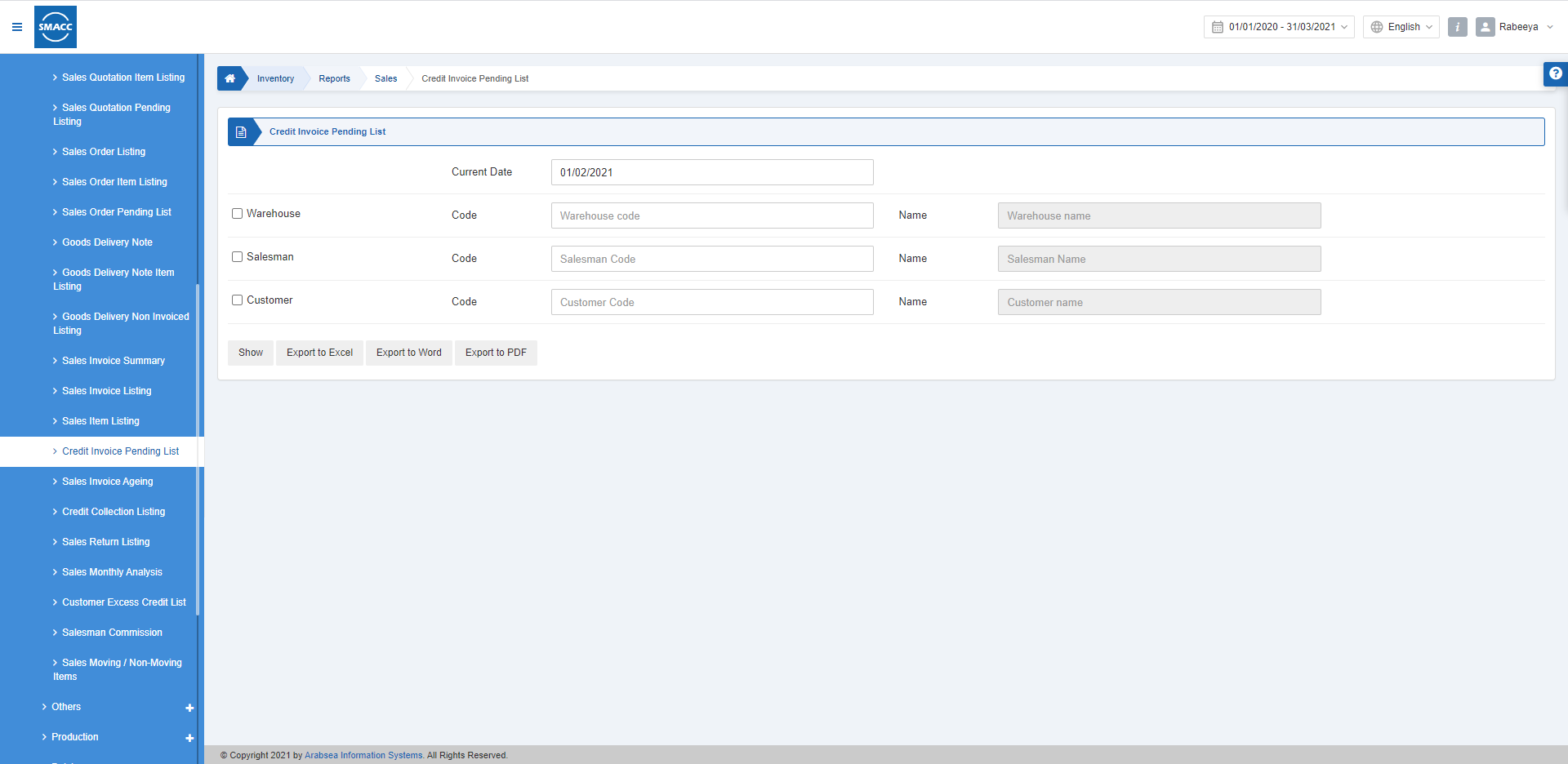
عرض قائمة الفواتير الآجلة المعلّقة
لعرض قائمة الفواتير الآجلة المعلّقة، انتقل إلى المخزون > التقارير > المبيعات > قائمة الفواتير الآجلة المعلّقة، فتظهر قائمة الفواتير الآجلة المعلّقة.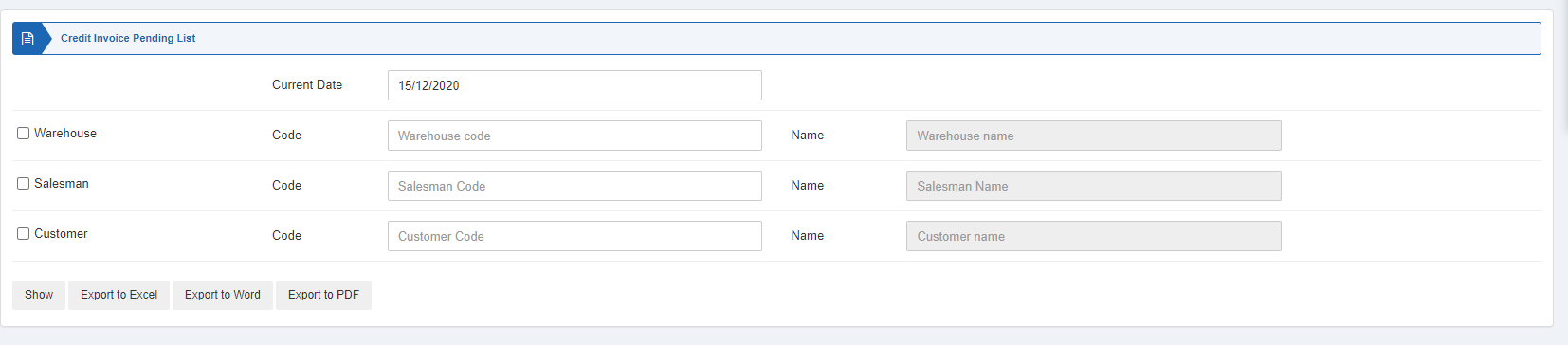
 «Current Date» (التاريخ الحالي): يحدّد هذا الحقل التاريخ الحالي للتقرير.
 تعمل ثلاثة مربعات اختيار بمثابة عوامل تصفية للتقرير.
«Warehouse» (المستودع): عند تحديد مربع الاختيار هذا يتيح اختيار رمز المستودع من القائمة المنسدلة. وإذا تُرك دون تحديد، فستظهر جميع المستودعات.
«Salesman» (المندوب): عند تحديد مربع الاختيار هذا يتيح اختيار رمز المندوب من القائمة المنسدلة. وإذا تُرك دون تحديد، فسيظهر جميع المندوبين.
«Customer» (العميل): عند تحديد مربع الاختيار هذا يتيح اختيار رمز العميل من القائمة المنسدلة. وإذا تُرك دون تحديد، فسيظهر جميع العملاء.
تعمل ثلاثة مربعات اختيار بمثابة عوامل تصفية للتقرير.
«Warehouse» (المستودع): عند تحديد مربع الاختيار هذا يتيح اختيار رمز المستودع من القائمة المنسدلة. وإذا تُرك دون تحديد، فستظهر جميع المستودعات.
«Salesman» (المندوب): عند تحديد مربع الاختيار هذا يتيح اختيار رمز المندوب من القائمة المنسدلة. وإذا تُرك دون تحديد، فسيظهر جميع المندوبين.
«Customer» (العميل): عند تحديد مربع الاختيار هذا يتيح اختيار رمز العميل من القائمة المنسدلة. وإذا تُرك دون تحديد، فسيظهر جميع العملاء.
 «Show» (عرض): يعرض هذا الزر التقرير وفقًا لعوامل التصفية المحدّدة.
«Export to Excel» (تصدير إلى Excel): يتيح هذا الزر تصدير بيانات التقرير إلى Excel.
«Export to Word» (تصدير إلى Word): يتيح هذا الزر تصدير بيانات التقرير إلى Word.
«Export to PDF» (تصدير إلى PDF): يتيح هذا الزر تصدير بيانات التقرير إلى PDF.
انقر على زر «Show» (عرض) لعرض التقرير.
«Show» (عرض): يعرض هذا الزر التقرير وفقًا لعوامل التصفية المحدّدة.
«Export to Excel» (تصدير إلى Excel): يتيح هذا الزر تصدير بيانات التقرير إلى Excel.
«Export to Word» (تصدير إلى Word): يتيح هذا الزر تصدير بيانات التقرير إلى Word.
«Export to PDF» (تصدير إلى PDF): يتيح هذا الزر تصدير بيانات التقرير إلى PDF.
انقر على زر «Show» (عرض) لعرض التقرير.
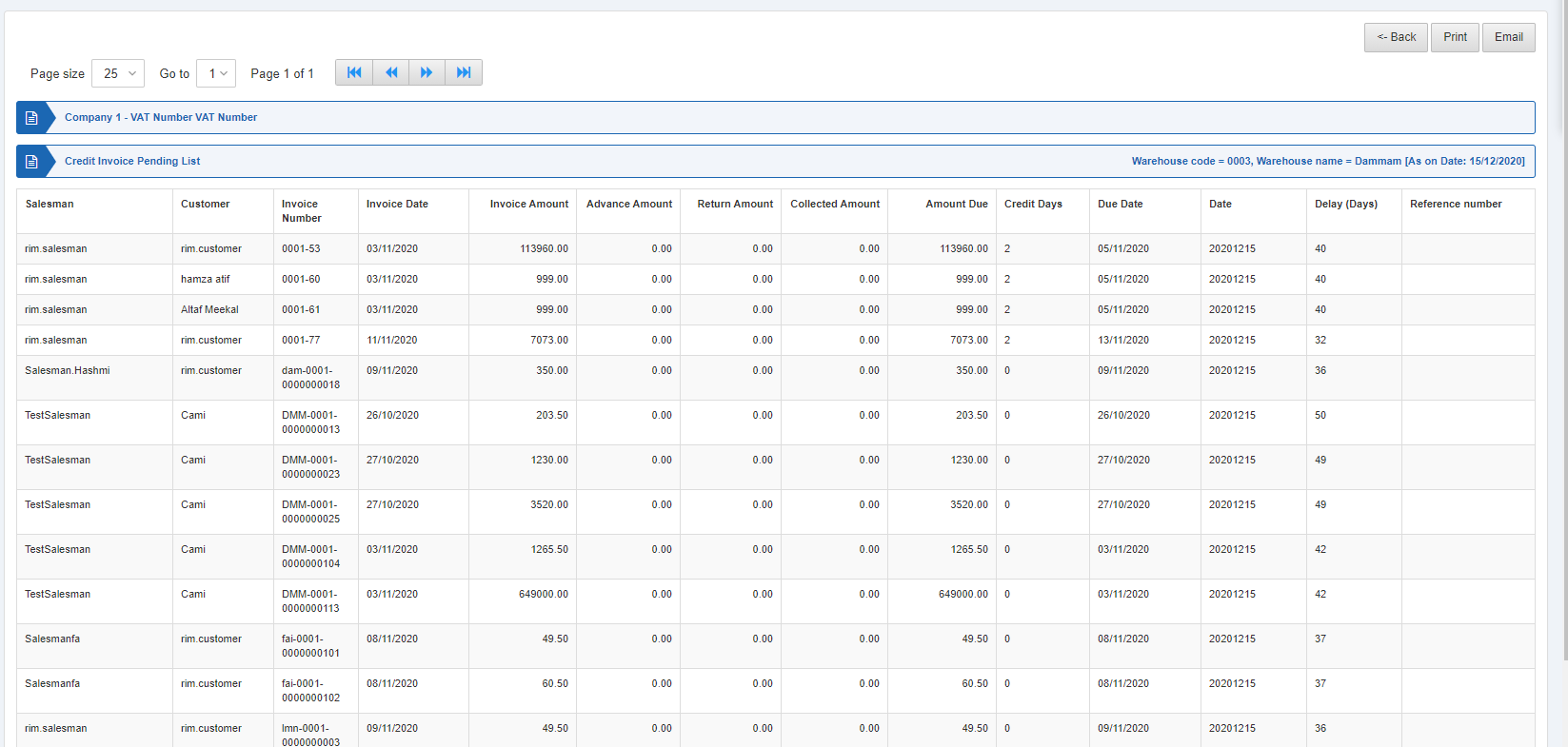 كما تتوفّر أزرار التنقّل لعرض الصفحات.
 «Page Size» (حجم الصفحة): يمكنك ضبط عدد السجلات في كل صفحة.
«Go to» (الانتقال إلى): يمكنك الانتقال إلى رقم الصفحة التي تريد عرضها.
«Page Size» (حجم الصفحة): يمكنك ضبط عدد السجلات في كل صفحة.
«Go to» (الانتقال إلى): يمكنك الانتقال إلى رقم الصفحة التي تريد عرضها.
 يمكنك العودة إلى الصفحة السابقة أو طباعة التقرير أو إرساله عبر البريد الإلكتروني.
هل كان هذا المقال مفيداً؟
ابدأ مع SMACC اليوم
جرّب مجاناً لمدة 14 يوماً — بدون بطاقة ائتمان وبدون التزام.