
Counter Activity Log
The Counter Activity Log allows the activities done on a counter by a Login ID of POS Management.
Viewing the Counter Activity Log
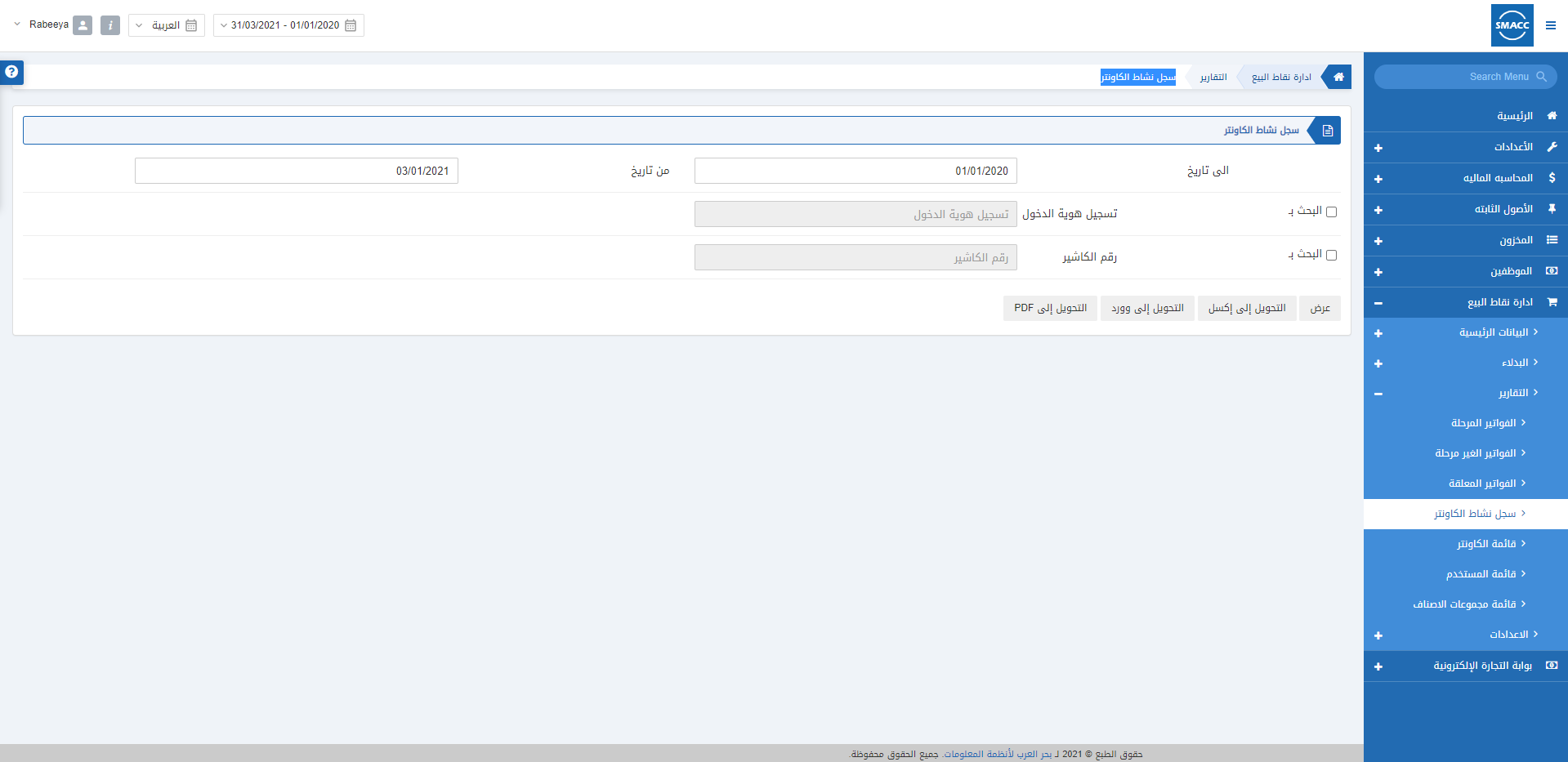
To view the Counter Activity Log report, go to POS Management > Reports > Counter Activity Log, the counter activity log page is displayed. Date From: This field sets the starting date of the report.
Date To: This field sets the ending date of the report.
Search by Login ID: This checkbox allows the selection of the Login ID of POS Management.
Search by Counter Code: This checkbox allows the selection of the Counter Code.
Note: If Search by checkboxes are both unchecked, the report will show all the Login ID’s and counters’ report.
Note: You can export to Excel, Word, and PDF Format by clicking on the respective buttons.
Date From: This field sets the starting date of the report.
Date To: This field sets the ending date of the report.
Search by Login ID: This checkbox allows the selection of the Login ID of POS Management.
Search by Counter Code: This checkbox allows the selection of the Counter Code.
Note: If Search by checkboxes are both unchecked, the report will show all the Login ID’s and counters’ report.
Note: You can export to Excel, Word, and PDF Format by clicking on the respective buttons.
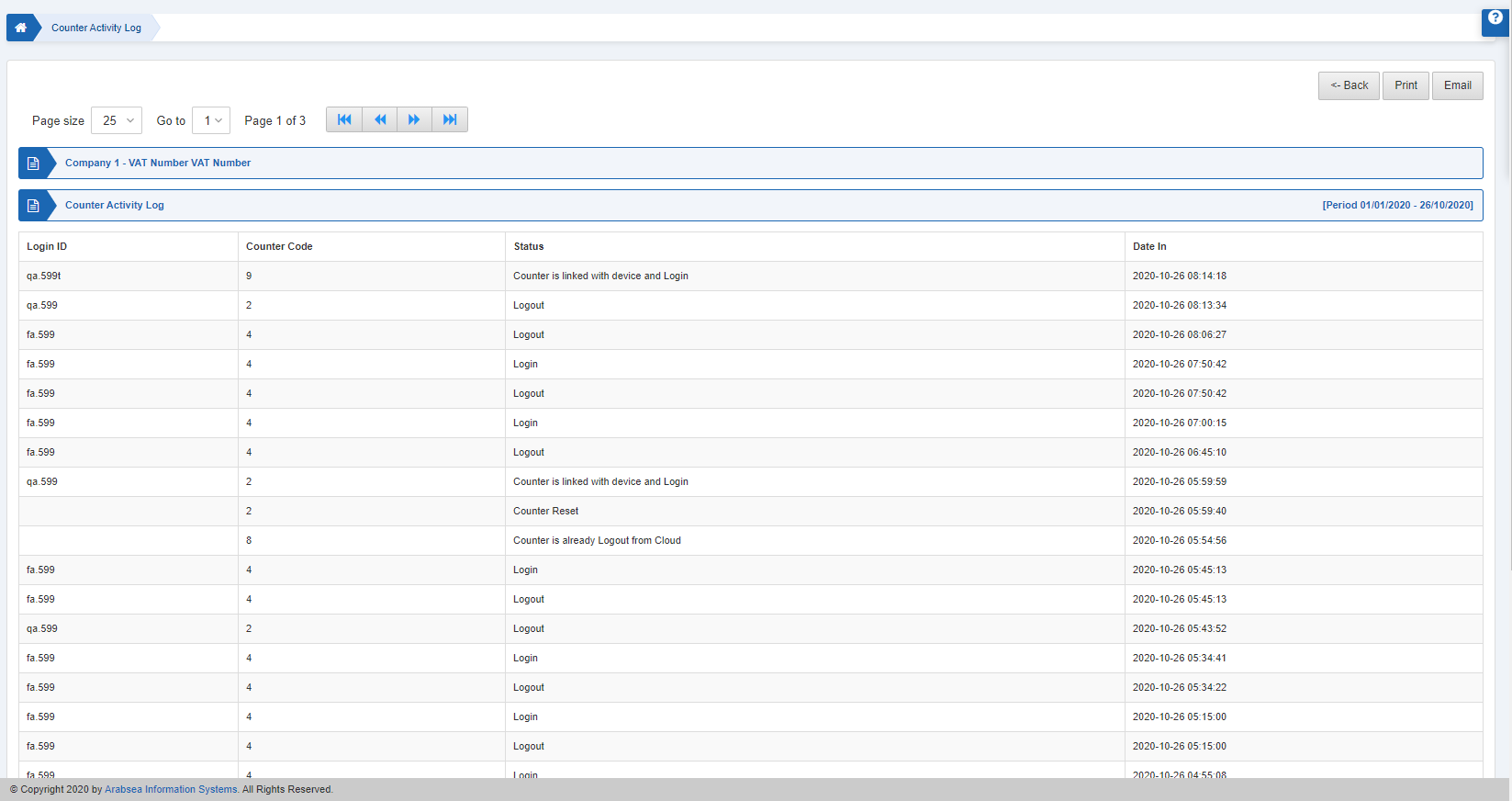 You can further print or email the report as per your requirement.
Was this article helpful?
Start with SMACC today
Try free for 14 days — no credit card, no commitment.