
إعدادات ترحيل المبيعات
تساعد إعدادات ترحيل المبيعات في تحديد الحسابات الدائنة والمدينة الخاصة بترحيل المبيعات.
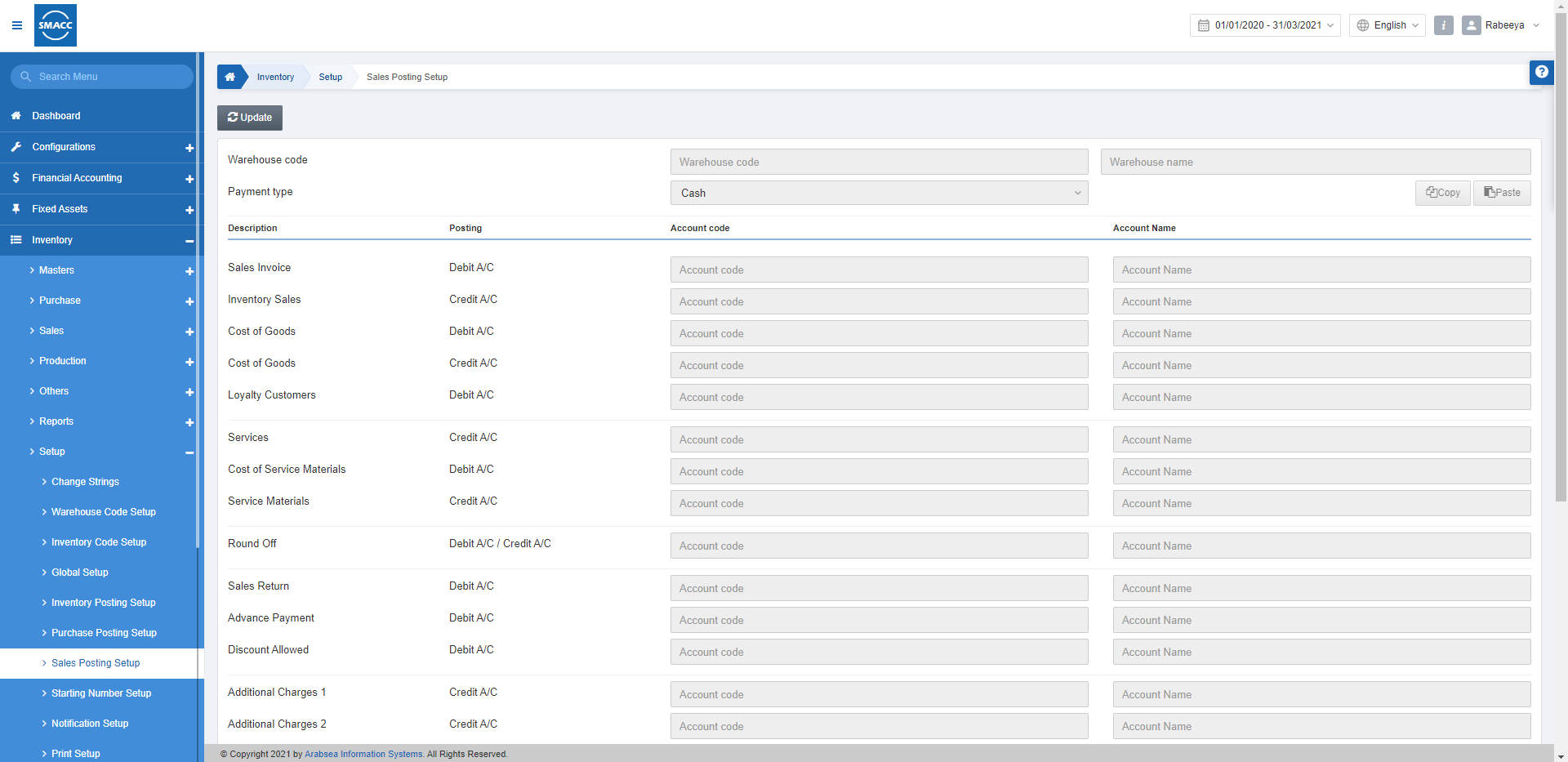
تحديث إعدادات ترحيل المبيعات
لتعديل أو تحديث إعدادات ترحيل المبيعات، انتقل إلى المخزون > الإعداد والتهيئة > إعدادات ترحيل المبيعات، فتظهر صفحة إعدادات ترحيل المبيعات.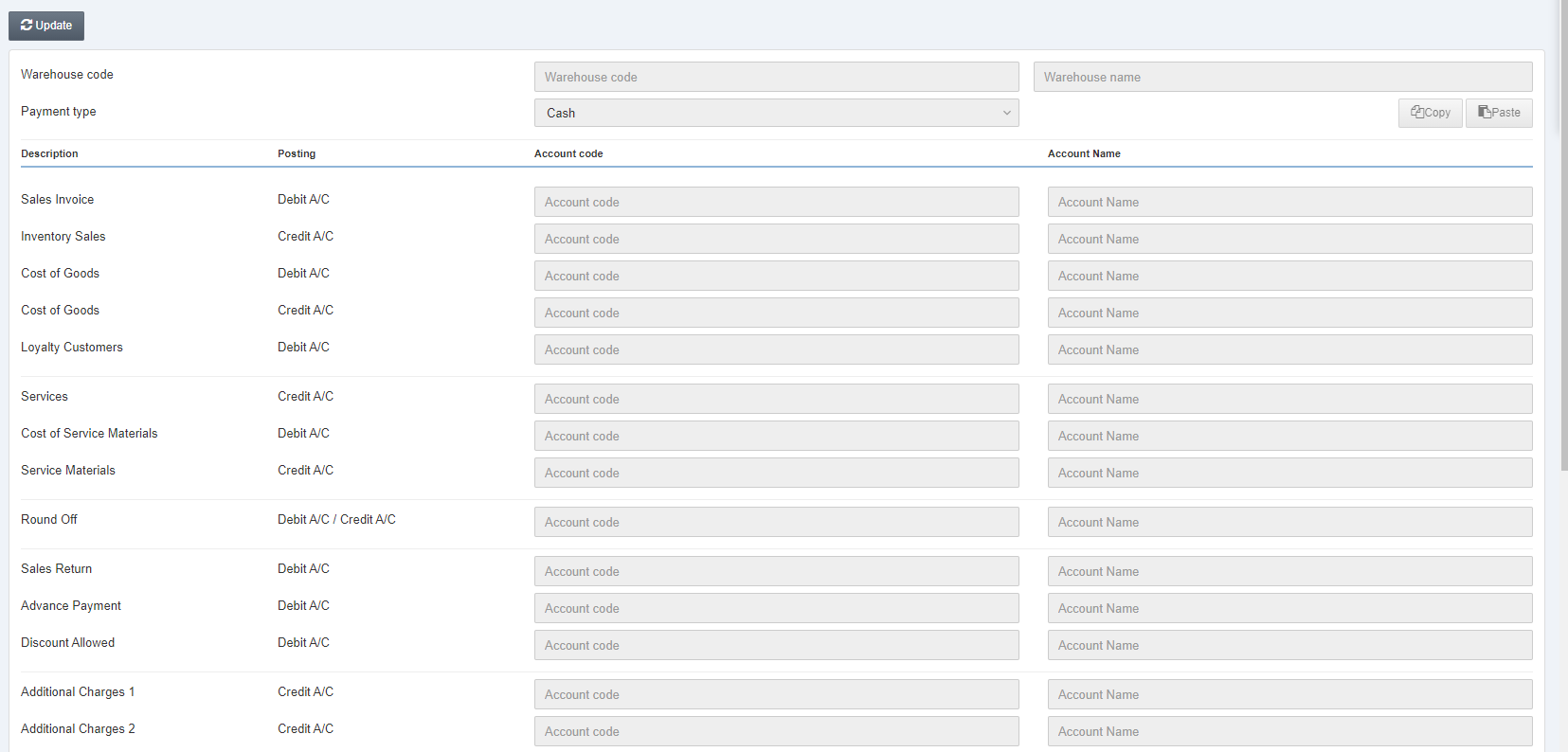 انقر على زر «تعديل» في أعلى الصفحة.
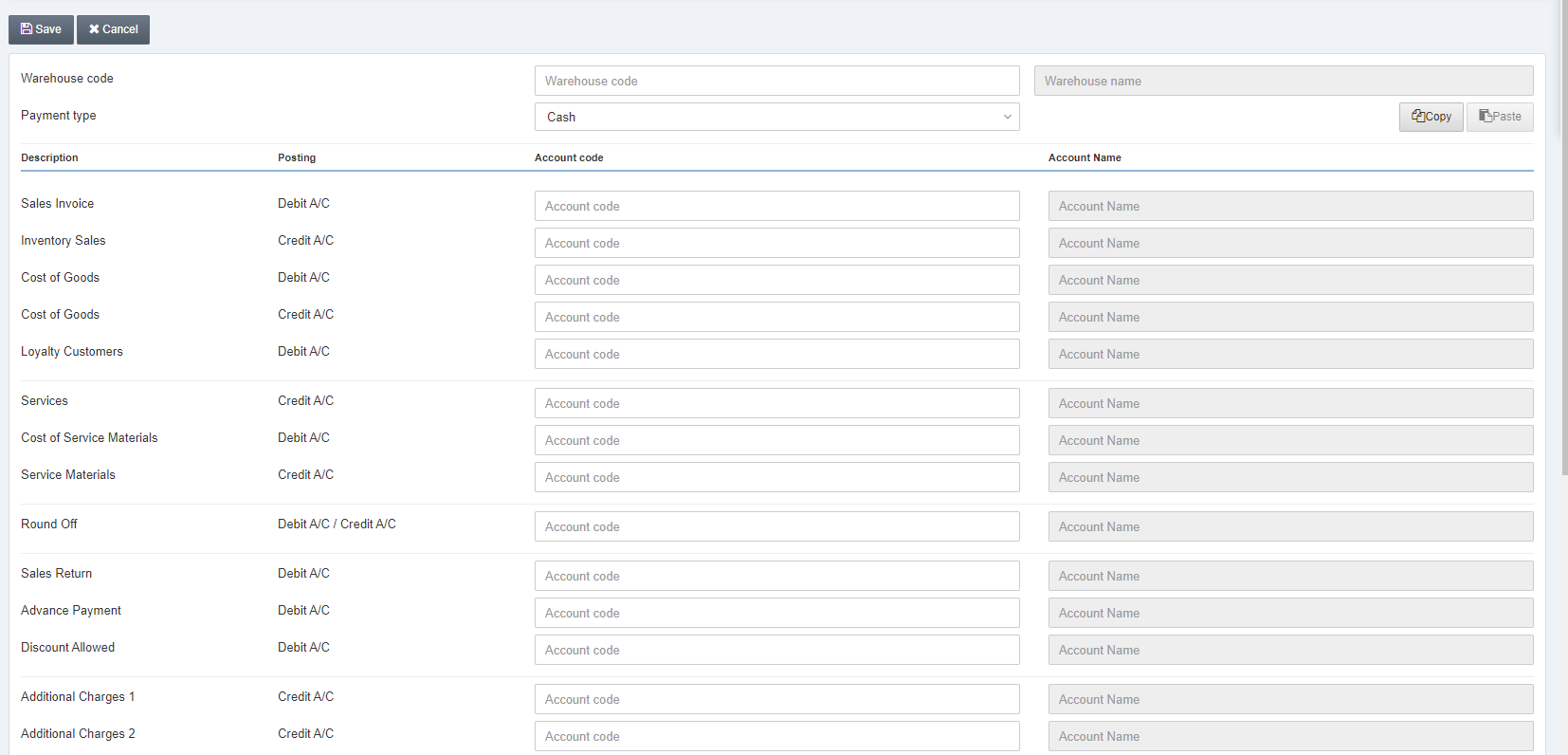 رمز المستودع: يتيح هذا الحقل اختيار رمز المستودع من القائمة المنسدلة.
اسم المستودع: يعرض الحقل المجاور اسم المستودع وفقًا لما اخترته أعلاه.
نوع الدفع: حدّد كل حقل واحدًا تلو الآخر لضبط إعدادات ترحيل المبيعات الخاصة به.
رمز المستودع: يتيح هذا الحقل اختيار رمز المستودع من القائمة المنسدلة.
اسم المستودع: يعرض الحقل المجاور اسم المستودع وفقًا لما اخترته أعلاه.
نوع الدفع: حدّد كل حقل واحدًا تلو الآخر لضبط إعدادات ترحيل المبيعات الخاصة به.
 نقدًا: يمثّل الدفع النقدي.
آجل: يمثّل الدفع الآجل.
بنك: يمثّل الدفع البنكي.
النوع 4: يمثّل الدفع ببطاقة الائتمان.
النوع 5: يمثّل الدفع بالبطاقة.
الدفع عند الاستلام: يمثّل الدفع النقدي عند التوصيل إلى المنزل.
الدفع الإلكتروني: يمثّل الدفع عبر الإنترنت.
نوع الدفع 8: يمثّل نوع دفع مخصص لأي استخدام مستقبلي.
ملاحظة: يمكنك إجراء التغييرات على رموز الحسابات بالنقر على الحقل والاختيار من القوائم المنسدلة.
انقر على زر «حفظ» لحفظ المعلومات.
نقدًا: يمثّل الدفع النقدي.
آجل: يمثّل الدفع الآجل.
بنك: يمثّل الدفع البنكي.
النوع 4: يمثّل الدفع ببطاقة الائتمان.
النوع 5: يمثّل الدفع بالبطاقة.
الدفع عند الاستلام: يمثّل الدفع النقدي عند التوصيل إلى المنزل.
الدفع الإلكتروني: يمثّل الدفع عبر الإنترنت.
نوع الدفع 8: يمثّل نوع دفع مخصص لأي استخدام مستقبلي.
ملاحظة: يمكنك إجراء التغييرات على رموز الحسابات بالنقر على الحقل والاختيار من القوائم المنسدلة.
انقر على زر «حفظ» لحفظ المعلومات.
 زر النسخ: يُستخدم هذا الزر لنسخ جميع إعدادات الحسابات.
زر اللصق: يُستخدم هذا الزر للصق جميع إعدادات الحسابات.
ملاحظة: الغرض الأساسي من زرَّي النسخ واللصق هو توفير وقتك، إذ يمكنك بسهولة نسخ ولصق إعدادات الحسابات من مستودع إلى آخر؛ فعلى سبيل المثال، يمكنك نسخ إعدادات الحسابات ولصقها من المستودع 0003 إلى المستودع 0004.
انقر على زر «حفظ» في أعلى الصفحة.
زر النسخ: يُستخدم هذا الزر لنسخ جميع إعدادات الحسابات.
زر اللصق: يُستخدم هذا الزر للصق جميع إعدادات الحسابات.
ملاحظة: الغرض الأساسي من زرَّي النسخ واللصق هو توفير وقتك، إذ يمكنك بسهولة نسخ ولصق إعدادات الحسابات من مستودع إلى آخر؛ فعلى سبيل المثال، يمكنك نسخ إعدادات الحسابات ولصقها من المستودع 0003 إلى المستودع 0004.
انقر على زر «حفظ» في أعلى الصفحة.هل كان هذا المقال مفيداً؟
ابدأ مع SMACC اليوم
جرّب مجاناً لمدة 14 يوماً — بدون بطاقة ائتمان وبدون التزام.