
سجل نشاط نقطة البيع
يتيح سجل نشاط نقطة البيع عرض الأنشطة التي تمت على نقطة بيع بواسطة معرّف دخول في إدارة نقاط البيع.
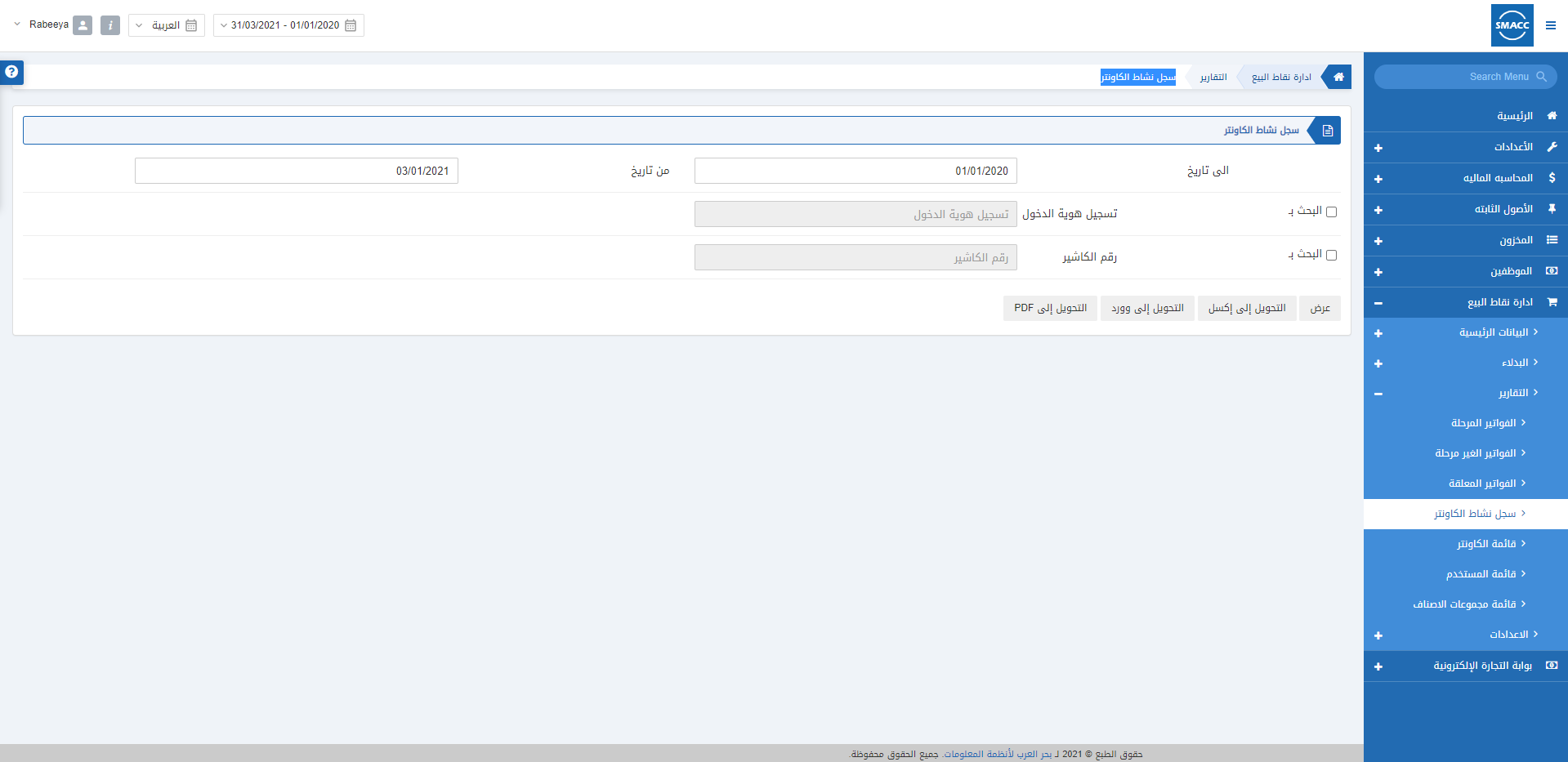
عرض سجل نشاط نقطة البيع
لعرض تقرير سجل نشاط نقطة البيع، انتقل إلى نقاط البيع > التقارير > سجل نشاط نقطة البيع، فتظهر صفحة سجل نشاط نقطة البيع. التاريخ من: يحدد هذا الحقل تاريخ بداية التقرير.
التاريخ إلى: يحدد هذا الحقل تاريخ نهاية التقرير.
البحث حسب معرّف الدخول: يتيح مربع الاختيار هذا تحديد معرّف الدخول الخاص بإدارة نقاط البيع.
البحث حسب رمز نقطة البيع: يتيح مربع الاختيار هذا تحديد رمز نقطة البيع.
ملاحظة: إذا كان مربعا الاختيار «البحث حسب» غير محددين معًا، فسيعرض التقرير جميع معرّفات الدخول وتقارير نقاط البيع.
ملاحظة: يمكنك التصدير إلى صيغة Excel وWord وPDF بالنقر على الأزرار المخصصة لكل منها.
التاريخ من: يحدد هذا الحقل تاريخ بداية التقرير.
التاريخ إلى: يحدد هذا الحقل تاريخ نهاية التقرير.
البحث حسب معرّف الدخول: يتيح مربع الاختيار هذا تحديد معرّف الدخول الخاص بإدارة نقاط البيع.
البحث حسب رمز نقطة البيع: يتيح مربع الاختيار هذا تحديد رمز نقطة البيع.
ملاحظة: إذا كان مربعا الاختيار «البحث حسب» غير محددين معًا، فسيعرض التقرير جميع معرّفات الدخول وتقارير نقاط البيع.
ملاحظة: يمكنك التصدير إلى صيغة Excel وWord وPDF بالنقر على الأزرار المخصصة لكل منها.
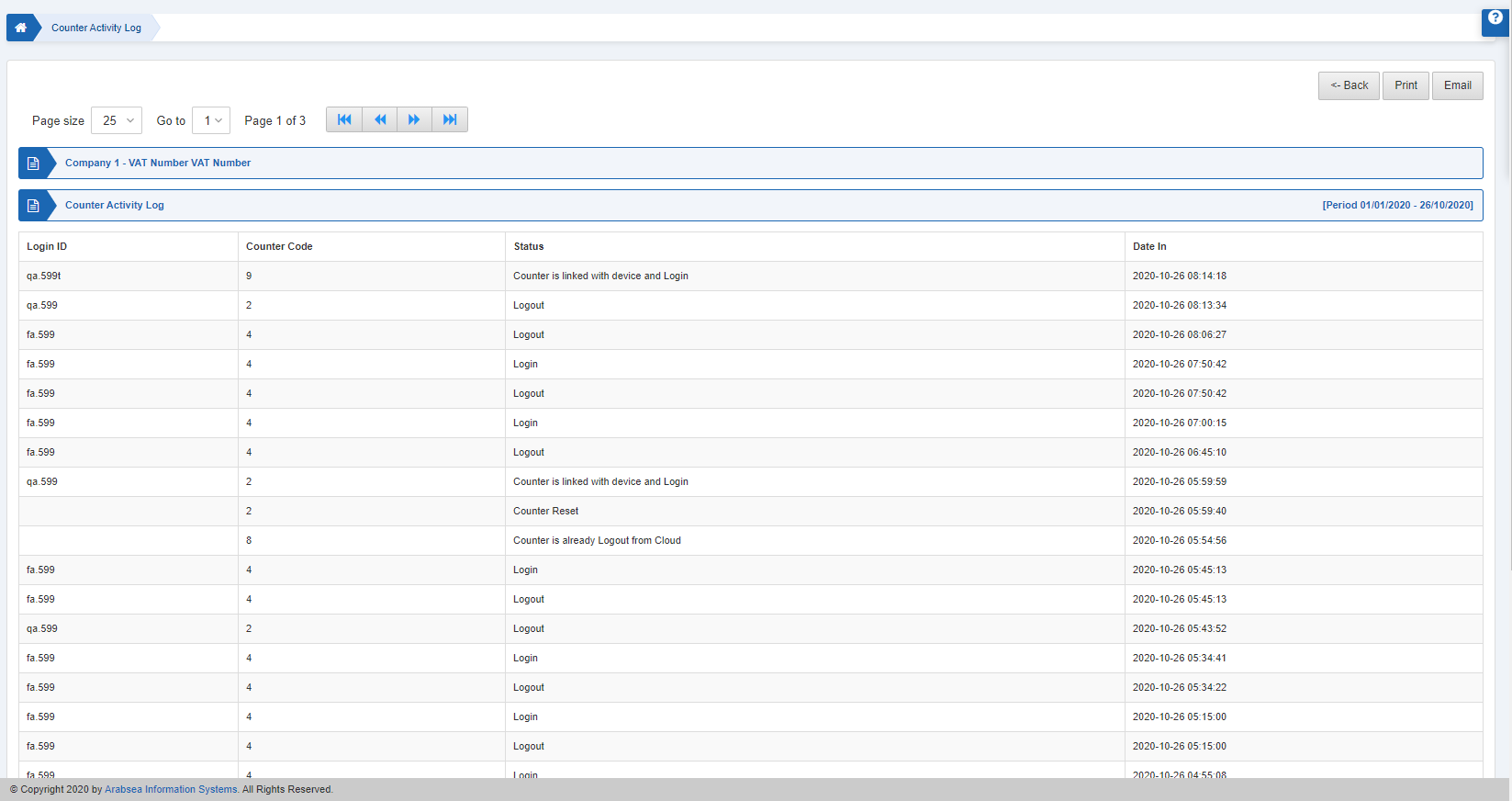 كما يمكنك طباعة التقرير أو إرساله عبر البريد الإلكتروني وفقًا لاحتياجك.
هل كان هذا المقال مفيداً؟
ابدأ مع SMACC اليوم
جرّب مجاناً لمدة 14 يوماً — بدون بطاقة ائتمان وبدون التزام.