
ملف المستخدم
في «ملف المستخدم» يمكنك تحديث بيانات المستخدم. يمكنك تعيين الاسم الأول/الأخير للمستخدم وعنوان البريد الإلكتروني وأرقام الهاتف الأرضي/الجوال. كما يمكنك تحديد الوحدة المفضّلة ولغة المستخدم. ويمكنك ربط/إلغاء ربط المندوب بالمستخدم.
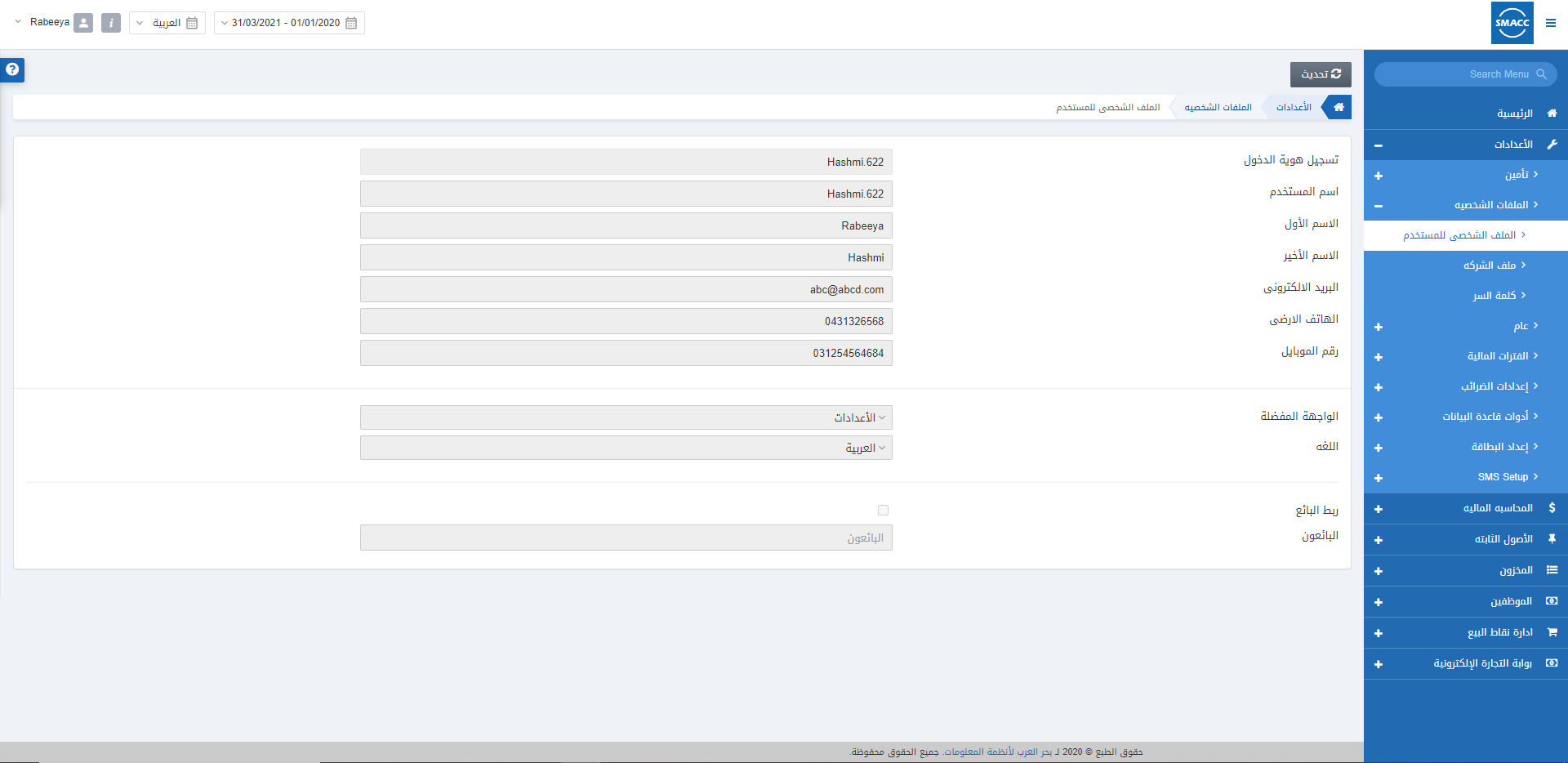
تحديث ملف المستخدم
لتحديث جميع البيانات في «ملف المستخدم»، انتقل إلى الإعداد والتهيئة > الملفات > ملف المستخدم، فتظهر صفحة «ملف المستخدم».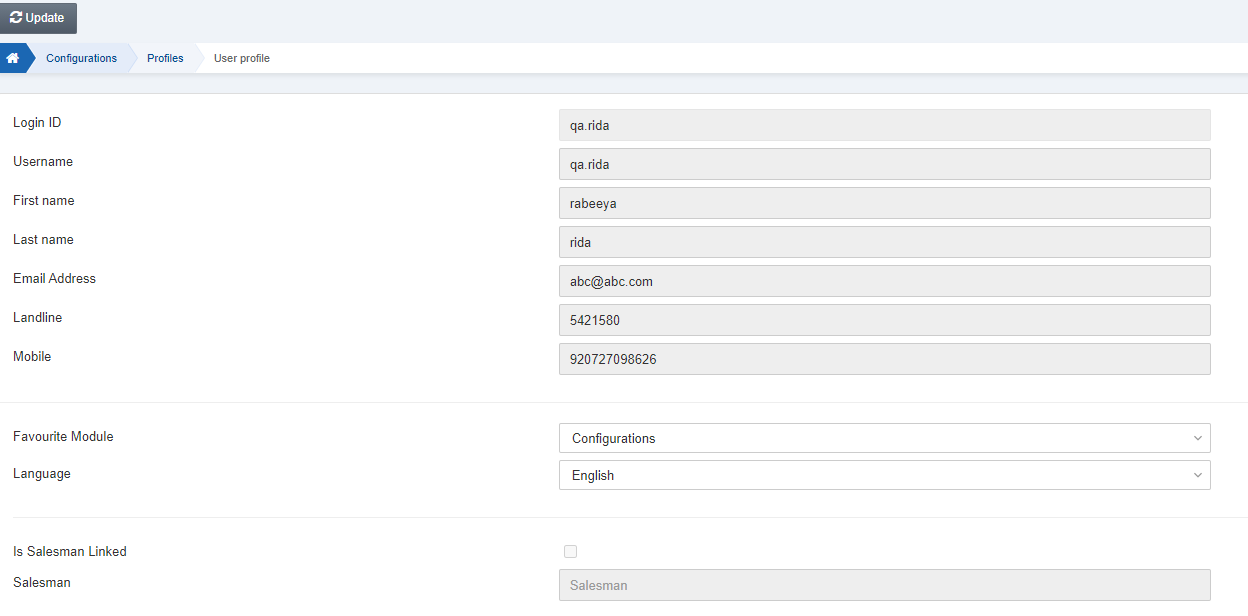 انقر على زر «تعديل» في أعلى صفحة «ملف المستخدم».
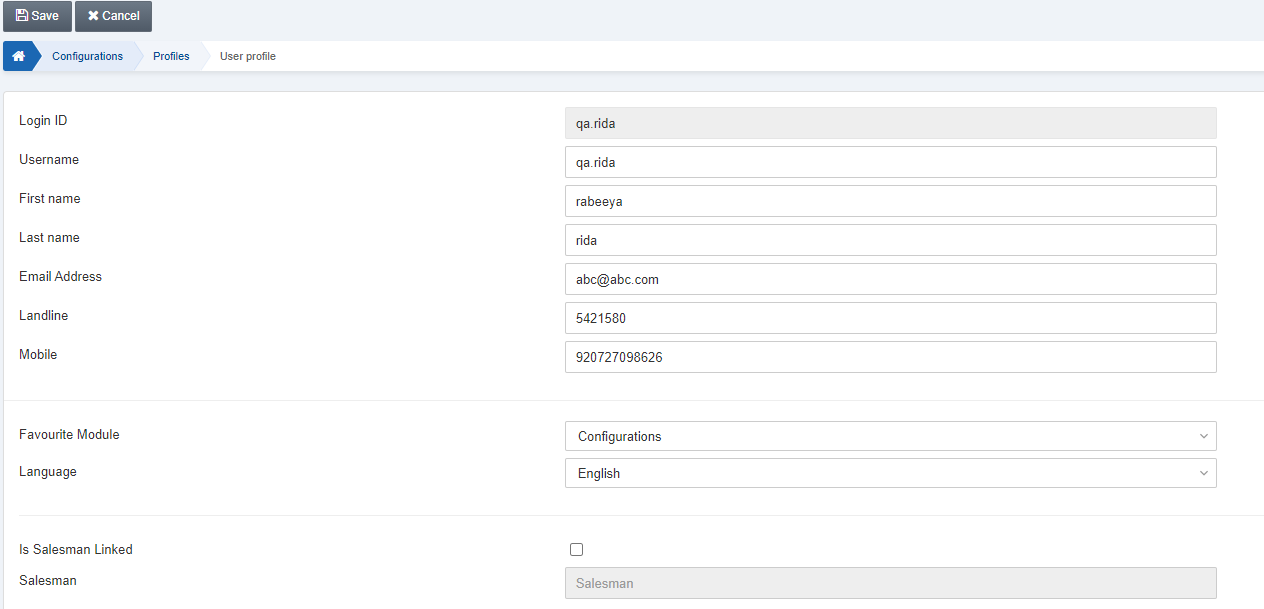 اسم المستخدم: يمكنك تعيين أو تحديث «اسم المستخدم».
الاسم الأول: يمكنك تعيين أو تحديث «الاسم الأول».
الاسم الأخير: يمكنك تعيين أو تحديث «الاسم الأخير».
عنوان البريد الإلكتروني: يمكنك تعيين أو تحديث «عنوان البريد الإلكتروني».
الهاتف الأرضي: يمكنك تعيين أو تحديث رقم «الهاتف الأرضي».
الجوال: يمكنك تعيين أو تحديث رقم «الجوال».
الوحدة المفضّلة: يمكنك اختيار «الوحدة المفضّلة» من القائمة المنسدلة.
اسم المستخدم: يمكنك تعيين أو تحديث «اسم المستخدم».
الاسم الأول: يمكنك تعيين أو تحديث «الاسم الأول».
الاسم الأخير: يمكنك تعيين أو تحديث «الاسم الأخير».
عنوان البريد الإلكتروني: يمكنك تعيين أو تحديث «عنوان البريد الإلكتروني».
الهاتف الأرضي: يمكنك تعيين أو تحديث رقم «الهاتف الأرضي».
الجوال: يمكنك تعيين أو تحديث رقم «الجوال».
الوحدة المفضّلة: يمكنك اختيار «الوحدة المفضّلة» من القائمة المنسدلة.
 اللغة: يمكنك اختيار «اللغة» من القائمة المنسدلة.
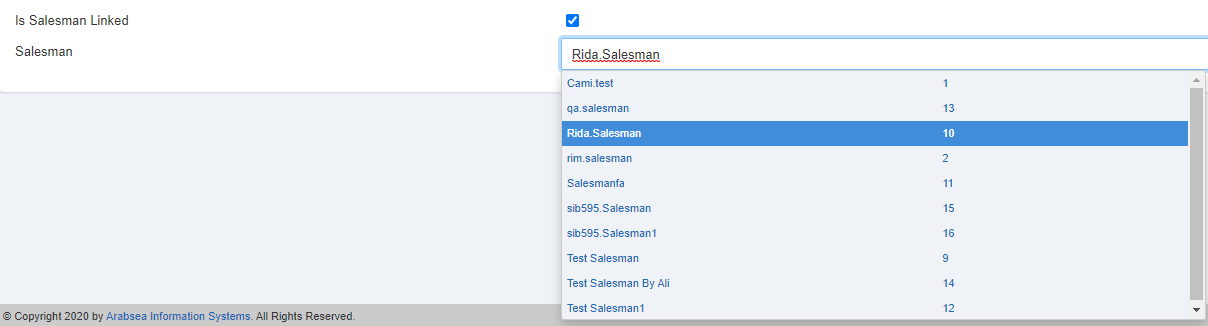
 هل المندوب مرتبط: إذا أردت ربط المندوب بمعرّف الدخول الخاص بك، فعليك تحديد مربع الاختيار هذا.
عند تحديد مربع الاختيار هذا، تظهر قائمة منسدلة عندما تنقر على حقل إدخال «المندوب».
هل المندوب مرتبط: إذا أردت ربط المندوب بمعرّف الدخول الخاص بك، فعليك تحديد مربع الاختيار هذا.
عند تحديد مربع الاختيار هذا، تظهر قائمة منسدلة عندما تنقر على حقل إدخال «المندوب».
 انقر على زر «حفظ» لحفظ البيانات.
ملاحظة: يمكنك ربط أو إلغاء ربط المندوب عبر مربع الاختيار «هل المندوب مرتبط». ففي حالة إلغاء الربط يستطيع أي مندوب استخدام SMACC، أمّا في حالة الربط فلا يستطيع استخدام SMACC سوى المندوب «المرتبط» فقط.
انقر على زر «حفظ» لحفظ البيانات.
ملاحظة: يمكنك ربط أو إلغاء ربط المندوب عبر مربع الاختيار «هل المندوب مرتبط». ففي حالة إلغاء الربط يستطيع أي مندوب استخدام SMACC، أمّا في حالة الربط فلا يستطيع استخدام SMACC سوى المندوب «المرتبط» فقط.
هل كان هذا المقال مفيداً؟
ابدأ مع SMACC اليوم
جرّب مجاناً لمدة 14 يوماً — بدون بطاقة ائتمان وبدون التزام.