
صلاحيات الوصول
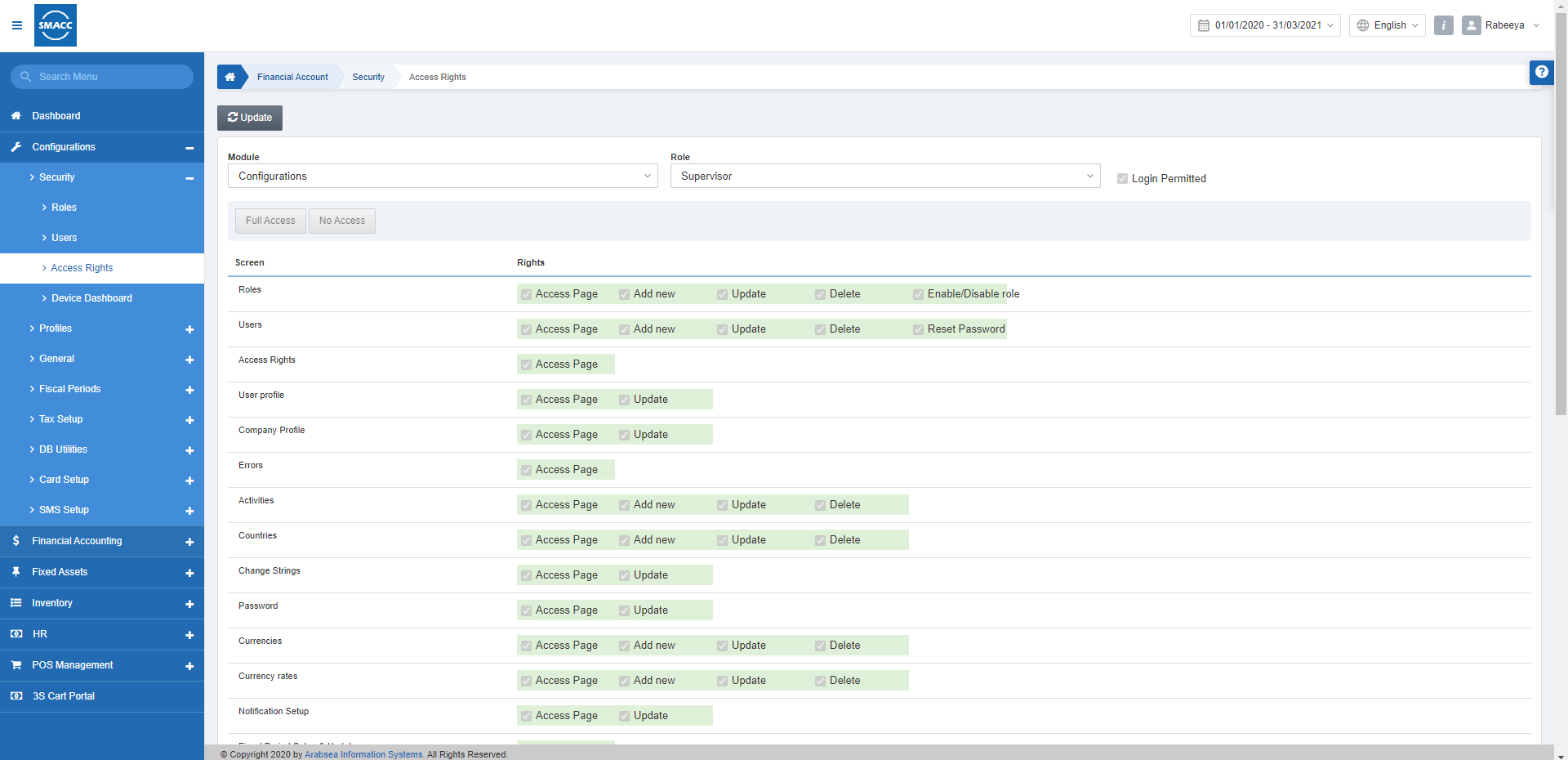
من خلال «صلاحيات الوصول» يمكنك تحديد صلاحيات الوصول للمستخدمين وفقًا للوحدة والدور الذي ترغب به. كما يمكنك أيضًا منح المستخدم صلاحية تسجيل الدخول.
تحديد صلاحيات الوصول إلى الوحدة
لتحديد أو تعديل صلاحيات الوصول إلى الوحدة وفقًا لـ«الدور»، انتقل إلى «الإعداد والتهيئة» > «الأمان» > «صلاحيات الوصول»، فتظهر صفحة صلاحيات الوصول.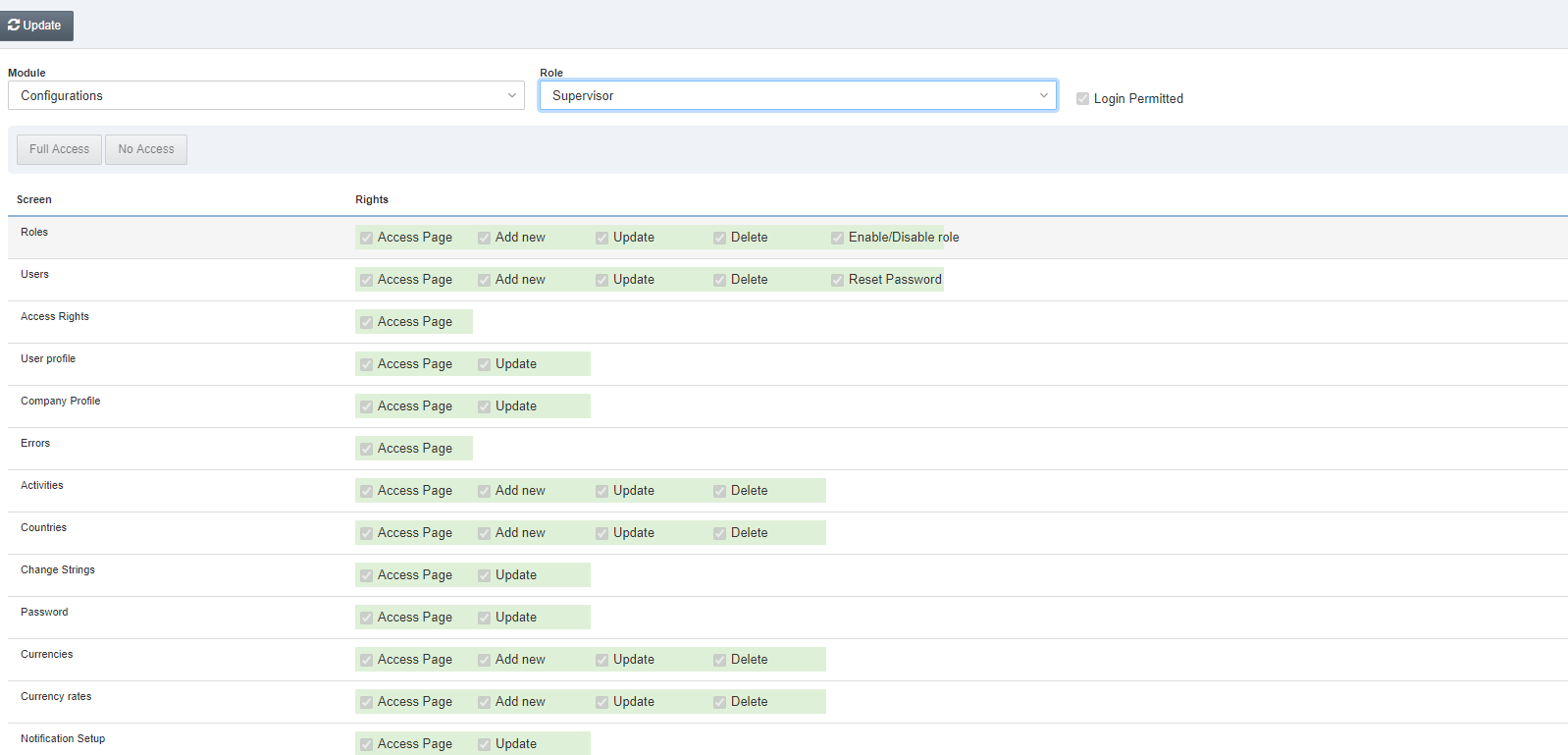 انقر على زر «تعديل» في أعلى الصفحة لتعديل الصلاحيات.
اختر الوحدة من القائمة المنسدلة «الوحدة»، ثم اختر دورًا من القائمة المنسدلة «الدور». يتم تحديث قسم الصلاحيات المذكور أدناه عند كل اختيار من القائمة المنسدلة.
انقر على زر «تعديل» في أعلى الصفحة لتعديل الصلاحيات.
اختر الوحدة من القائمة المنسدلة «الوحدة»، ثم اختر دورًا من القائمة المنسدلة «الدور». يتم تحديث قسم الصلاحيات المذكور أدناه عند كل اختيار من القائمة المنسدلة.

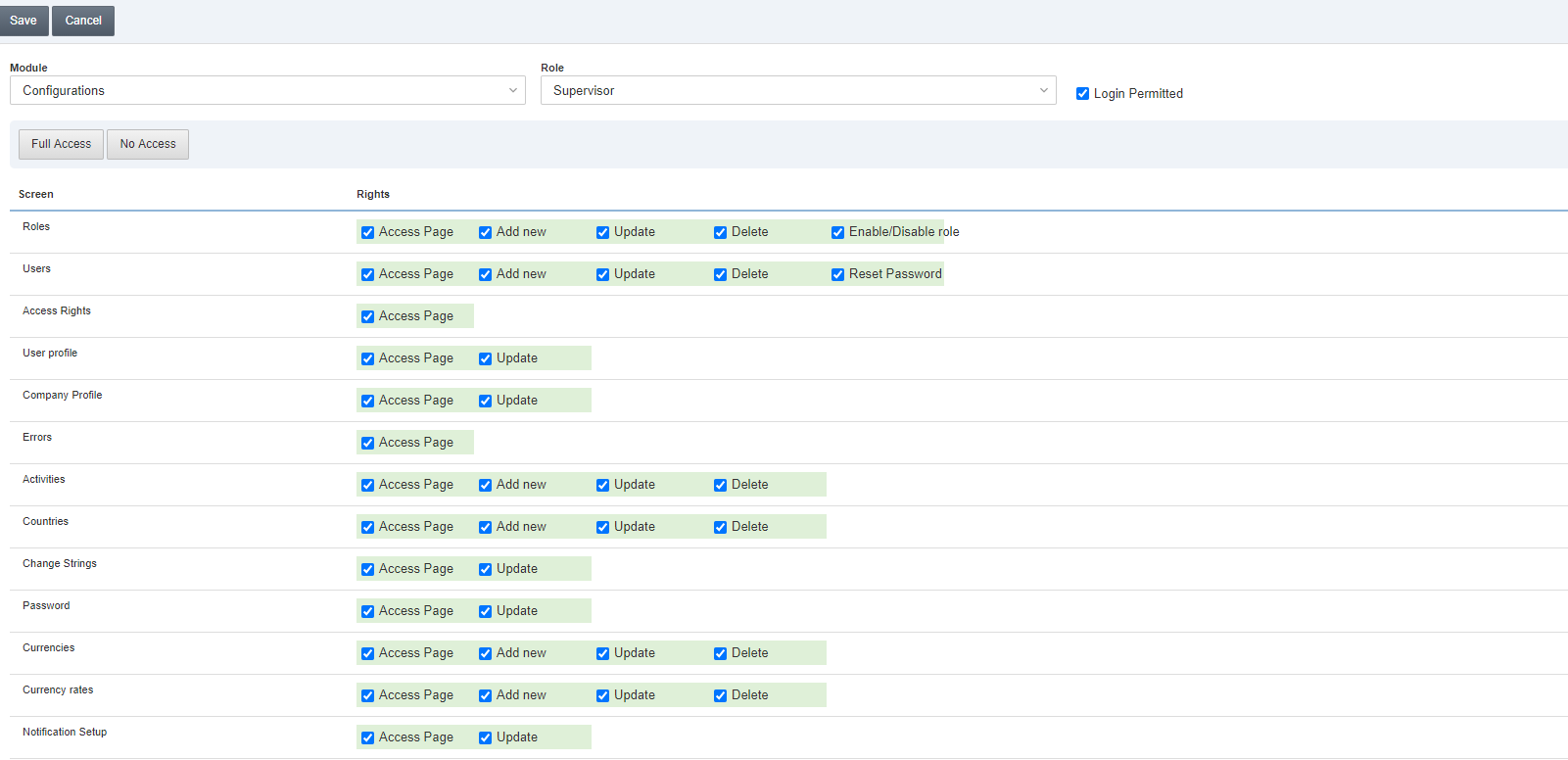 يمكنك تحديد صلاحيات الوصول إلى الوحدة عن طريق تحديد أو إلغاء تحديد مربع الاختيار أو مربعات الاختيار.
انقر على زر «حفظ» لحفظ المعلومات.
يمكنك تحديد صلاحيات الوصول إلى الوحدة عن طريق تحديد أو إلغاء تحديد مربع الاختيار أو مربعات الاختيار.
انقر على زر «حفظ» لحفظ المعلومات.
تحديد صلاحية تسجيل الدخول
لمنح صلاحية تسجيل الدخول لـ«الدور»، انتقل إلى «الإعداد والتهيئة» > «الأمان» > «صلاحيات الوصول»، فتظهر صفحة صلاحيات الوصول.
انقر على زر «تعديل» في صفحة صلاحيات الوصول.
اختر الوحدة من القائمة المنسدلة «الوحدة»، ثم اختر دورًا من القائمة المنسدلة «الدور». يتم تحديث قسم الصلاحيات المذكور أدناه عند كل اختيار من القائمة المنسدلة.
 يُرجى تحديد أو إلغاء تحديد مربع الاختيار «مسموح بتسجيل الدخول» لمنح صلاحية تسجيل الدخول للدور.
انقر على زر «حفظ» لتحديث المعلومات.
يُرجى تحديد أو إلغاء تحديد مربع الاختيار «مسموح بتسجيل الدخول» لمنح صلاحية تسجيل الدخول للدور.
انقر على زر «حفظ» لتحديث المعلومات.
منح كامل صلاحيات الوصول للدور
لمنح كامل صلاحيات الوصول لـ«الدور»، انتقل إلى «الإعداد والتهيئة» > «الأمان» > «صلاحيات الوصول»، فتظهر صفحة صلاحيات الوصول.
انقر على زر «تعديل» في أعلى صفحة صلاحيات الوصول.
اختر الوحدة من القائمة المنسدلة «الوحدة»، واختر دورًا من القائمة المنسدلة «الدور». يتم تحديث قسم الصلاحيات المذكور أدناه عند كل اختيار من القائمة المنسدلة.
 انقر على زر «وصول كامل» لمنح كامل صلاحيات الوصول للدور. ثم انقر على زر «حفظ» لحفظ المعلومات.
حظر جميع صلاحيات الوصول للدور
لحظر جميع صلاحيات الوصول لـ«الدور»، انتقل إلى «الإعداد والتهيئة» > «الأمان» > «صلاحيات الوصول»، فتظهر صفحة صلاحيات الوصول.
انقر على زر «تعديل» في أعلى صفحة صلاحيات الوصول.
اختر الوحدة من القائمة المنسدلة «الوحدة»، ثم اختر دورًا من القائمة المنسدلة «الدور». يتم تحديث قسم الصلاحيات المذكور أدناه عند كل اختيار من القائمة المنسدلة.
يُرجى النقر على زر «بدون وصول» لإنهاء صلاحيات الوصول للدور.
انقر على زر «حفظ» لحفظ المعلومات.
هل كان هذا المقال مفيداً؟
ابدأ مع SMACC اليوم
جرّب مجاناً لمدة 14 يوماً — بدون بطاقة ائتمان وبدون التزام.