
مزوّد الرسائل النصية
يشتمل مزوّد خدمة الرسائل النصية القصيرة (SMS) على جميع إعدادات خدمات مزوّد الرسائل النصية.
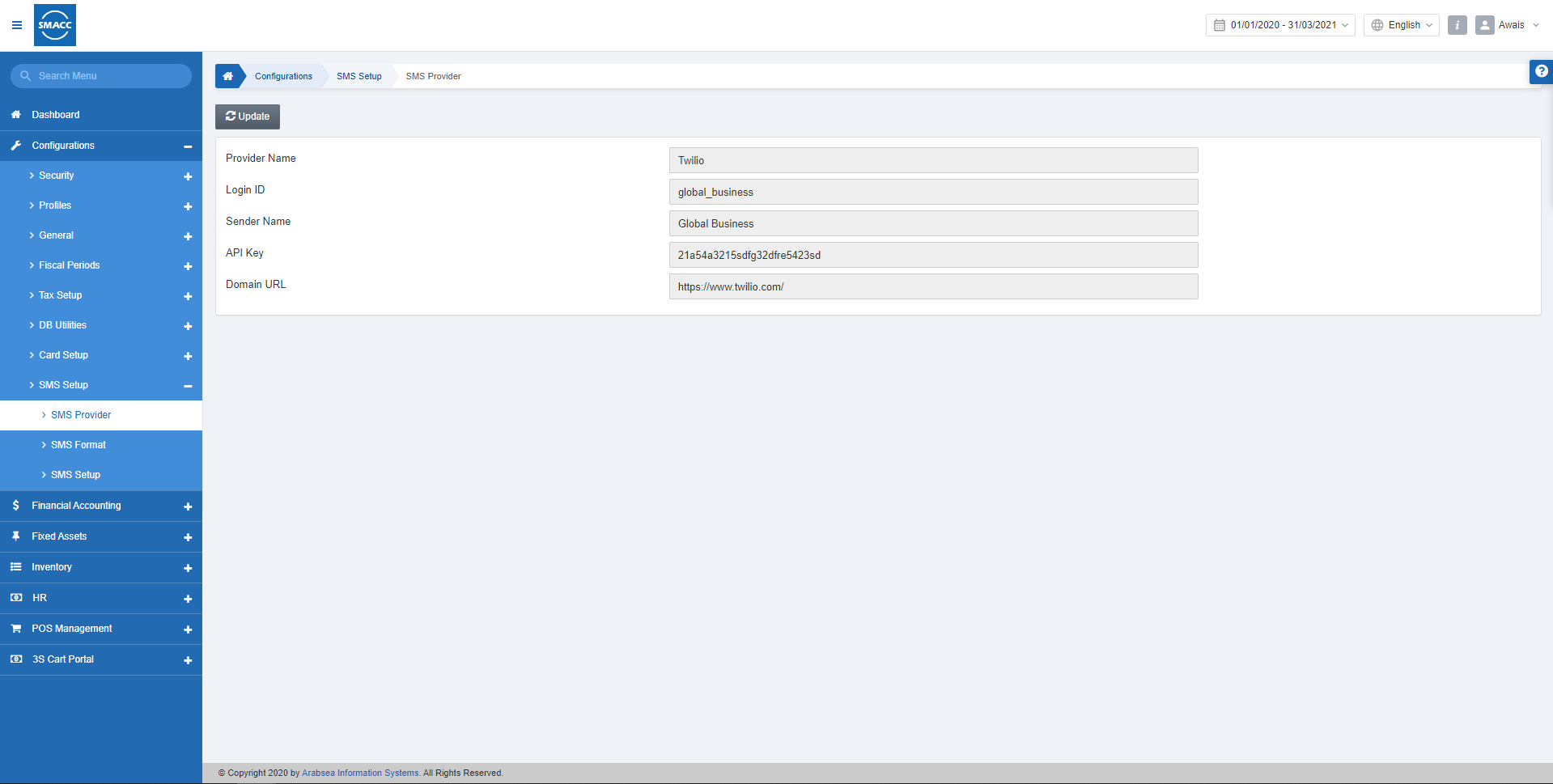
تعديل إعدادات مزوّد الرسائل النصية
لتعديل إعدادات مزوّد الرسائل النصية، انتقل إلى الإعداد والتهيئة > إعداد الرسائل النصية > مزوّد الرسائل النصية، فتظهر صفحة مزوّد الرسائل النصية.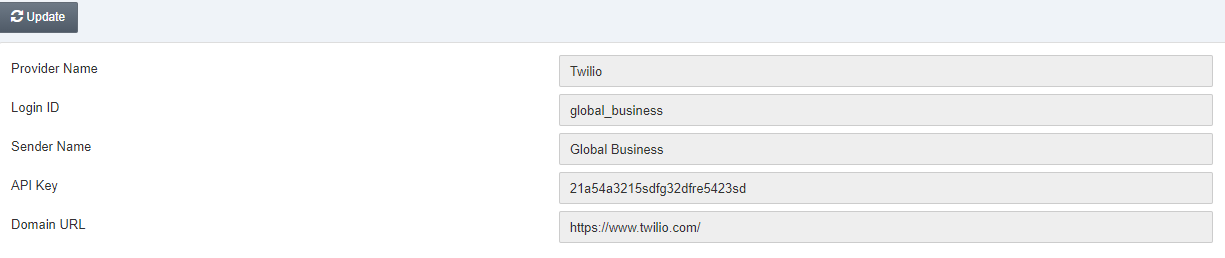 «Provider Name» (اسم المزوّد): يحدد هذا الحقل اسم مزوّد خدمة الرسائل النصية.
«Login ID» (معرّف الدخول): يحدد هذا الحقل معرّف الدخول الخاص بالرسائل النصية.
«Sender Name» (اسم المرسل): يحدد هذا الحقل اسم المرسل أو اسم شركتك.
«API Key» (مفتاح الواجهة البرمجية): يحدد هذا الحقل مفتاح الواجهة البرمجية (API Key).
«Domain URL» (رابط النطاق): هذا الرابط خاص برابط خدمة مزوّد الرسائل النصية.
انقر على زر «Update» (تعديل) وعدّل المعلومات وفقًا لمتطلبات شركتك.
«Provider Name» (اسم المزوّد): يحدد هذا الحقل اسم مزوّد خدمة الرسائل النصية.
«Login ID» (معرّف الدخول): يحدد هذا الحقل معرّف الدخول الخاص بالرسائل النصية.
«Sender Name» (اسم المرسل): يحدد هذا الحقل اسم المرسل أو اسم شركتك.
«API Key» (مفتاح الواجهة البرمجية): يحدد هذا الحقل مفتاح الواجهة البرمجية (API Key).
«Domain URL» (رابط النطاق): هذا الرابط خاص برابط خدمة مزوّد الرسائل النصية.
انقر على زر «Update» (تعديل) وعدّل المعلومات وفقًا لمتطلبات شركتك.
هل كان هذا المقال مفيداً؟
ابدأ مع SMACC اليوم
جرّب مجاناً لمدة 14 يوماً — بدون بطاقة ائتمان وبدون التزام.