
الولايات/المحافظات
في «الولايات/المحافظات» يمكنك تعريف الولايات أو المحافظات التابعة للدولة التي تريدها للشركة.
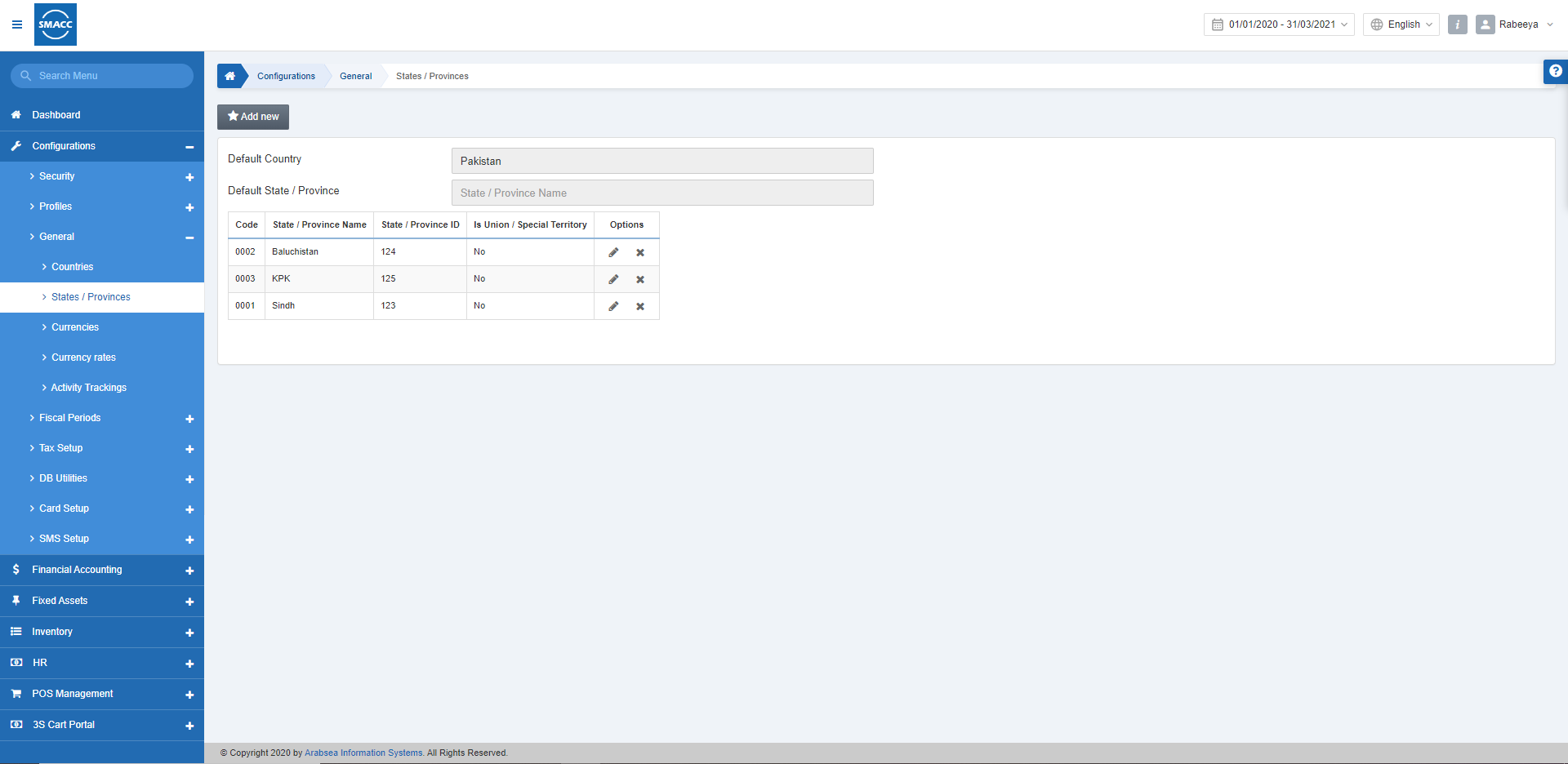
إعداد الولايات/المحافظات
لإعداد الولايات أو المحافظات، انتقل إلى «الإعداد والتهيئة» > «عام» > «الولايات/المحافظات»، فتظهر صفحة «الولايات/المحافظات».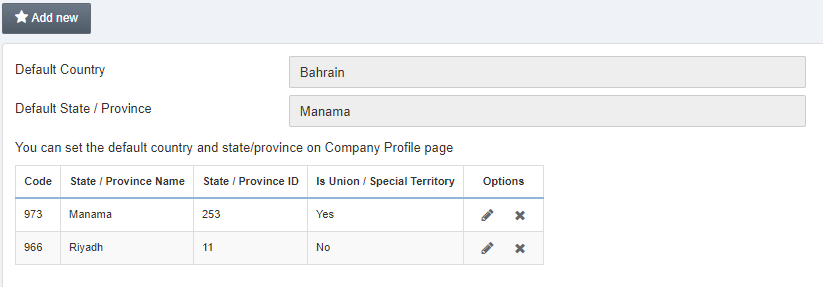 انقر على زر «إضافة جديد».
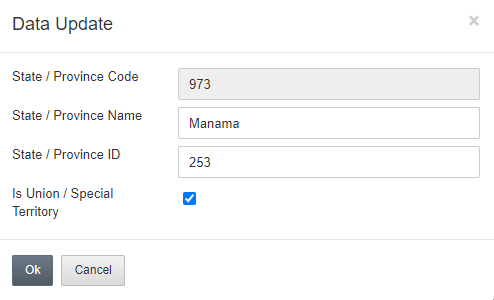
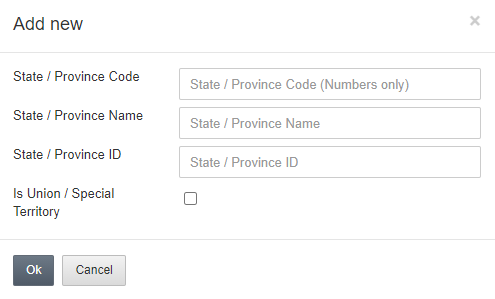 أدخل رمز الولاية/المحافظة في حقل الإدخال «رمز الولاية/المحافظة».
أدخل اسم الولاية/المحافظة في حقل الإدخال «اسم الولاية/المحافظة».
أدخل معرّف الولاية/المحافظة في حقل الإدخال «معرّف الولاية/المحافظة».
كما يمكنك تحديد مربع الاختيار «إقليم اتحادي/إقليم خاص» للإشارة إلى أن المنطقة إقليم خاص.
أدخل رمز الولاية/المحافظة في حقل الإدخال «رمز الولاية/المحافظة».
أدخل اسم الولاية/المحافظة في حقل الإدخال «اسم الولاية/المحافظة».
أدخل معرّف الولاية/المحافظة في حقل الإدخال «معرّف الولاية/المحافظة».
كما يمكنك تحديد مربع الاختيار «إقليم اتحادي/إقليم خاص» للإشارة إلى أن المنطقة إقليم خاص.
تعديل الولايات/المحافظات
لتعديل الولايات أو المحافظات، انتقل إلى «الإعداد والتهيئة» > «عام» > «الولايات/المحافظات»، فتظهر صفحة «الولايات/المحافظات».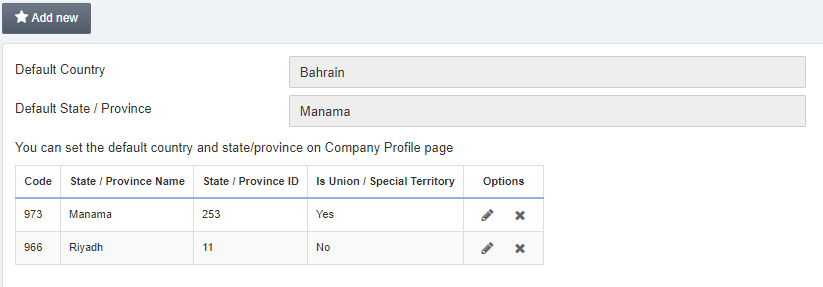 انقر على أيقونة «تعديل» في الجدول المقابلة لاسم الولاية/المحافظة.
حذف الولايات/المحافظات
لحذف الولايات أو المحافظات، انتقل إلى «الإعداد والتهيئة» > «عام» > «الولايات/المحافظات»، فتظهر صفحة «الولايات/المحافظات».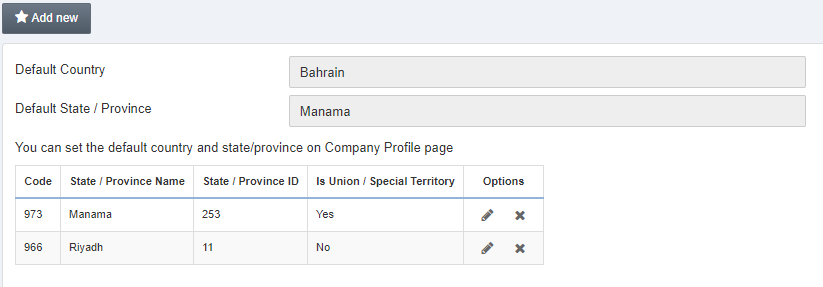 انقر على أيقونة «حذف» في الجدول المقابلة لاسم الولاية/المحافظة.
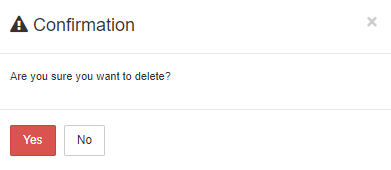 انقر على «نعم» لتأكيد عملية الحذف.
هل كان هذا المقال مفيداً؟
ابدأ مع SMACC اليوم
جرّب مجاناً لمدة 14 يوماً — بدون بطاقة ائتمان وبدون التزام.