
إعداد الرسائل النصية القصيرة (SMS)
يتضمن إعداد الرسائل النصية القصيرة (SMS) مربعات الاختيار التي تُفعّل خدمة الرسائل النصية القصيرة وغيرها من الوظائف.
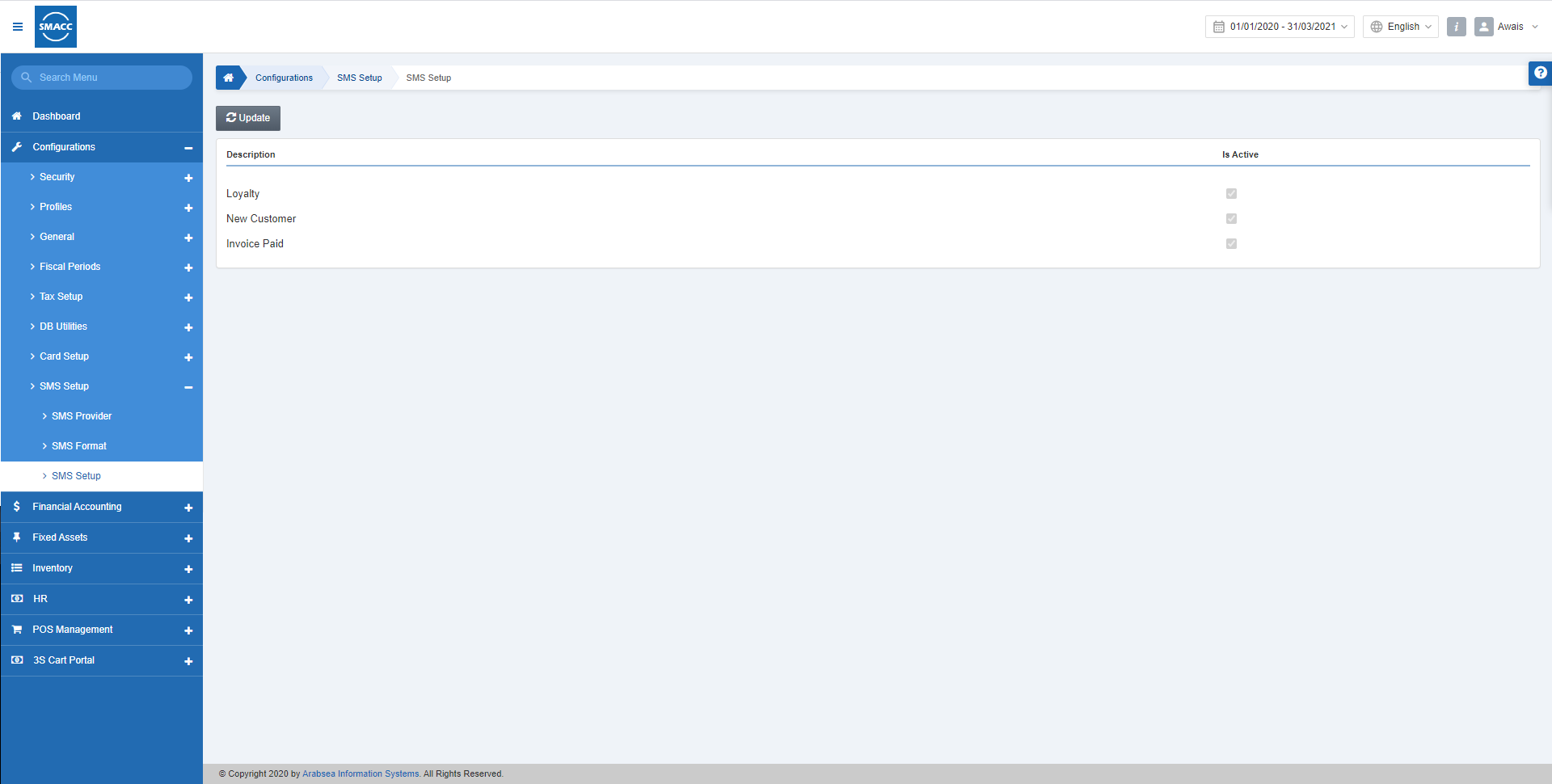
تحديث إعداد الرسائل النصية القصيرة
لتحديث إعداد الرسائل النصية القصيرة، انتقل إلى «الإعداد والتهيئة» > «إعداد الرسائل النصية القصيرة» > «إعداد الرسائل النصية القصيرة»، فتظهر صفحة إعداد الرسائل النصية القصيرة. انقر على زر «تعديل».
 الولاء: عند تحديد مربع الاختيار هذا، تُتاح وظيفة إرسال الرسائل النصية القصيرة.
عميل جديد: عند تحديد مربع الاختيار هذا، تُتاح وظيفة العملاء الجدد.
فاتورة مدفوعة: عند تحديد مربع الاختيار هذا، تُتاح وظيفة الفواتير المدفوعة.
انقر على زر «حفظ» لحفظ الإعدادات.
ملاحظة: يتم جلب هذه الإعدادات إلى صفحة تنسيق الرسائل النصية القصيرة.
ملاحظة: لتعطيل أي وظيفة بعينها، يمكنك إلغاء تحديد مربع الاختيار الخاص بها.
الولاء: عند تحديد مربع الاختيار هذا، تُتاح وظيفة إرسال الرسائل النصية القصيرة.
عميل جديد: عند تحديد مربع الاختيار هذا، تُتاح وظيفة العملاء الجدد.
فاتورة مدفوعة: عند تحديد مربع الاختيار هذا، تُتاح وظيفة الفواتير المدفوعة.
انقر على زر «حفظ» لحفظ الإعدادات.
ملاحظة: يتم جلب هذه الإعدادات إلى صفحة تنسيق الرسائل النصية القصيرة.
ملاحظة: لتعطيل أي وظيفة بعينها، يمكنك إلغاء تحديد مربع الاختيار الخاص بها.
هل كان هذا المقال مفيداً؟
ابدأ مع SMACC اليوم
جرّب مجاناً لمدة 14 يوماً — بدون بطاقة ائتمان وبدون التزام.