
GRR Item Listing
The GRR item listing report helps you view the list of a particular GRR and the items contained within it.
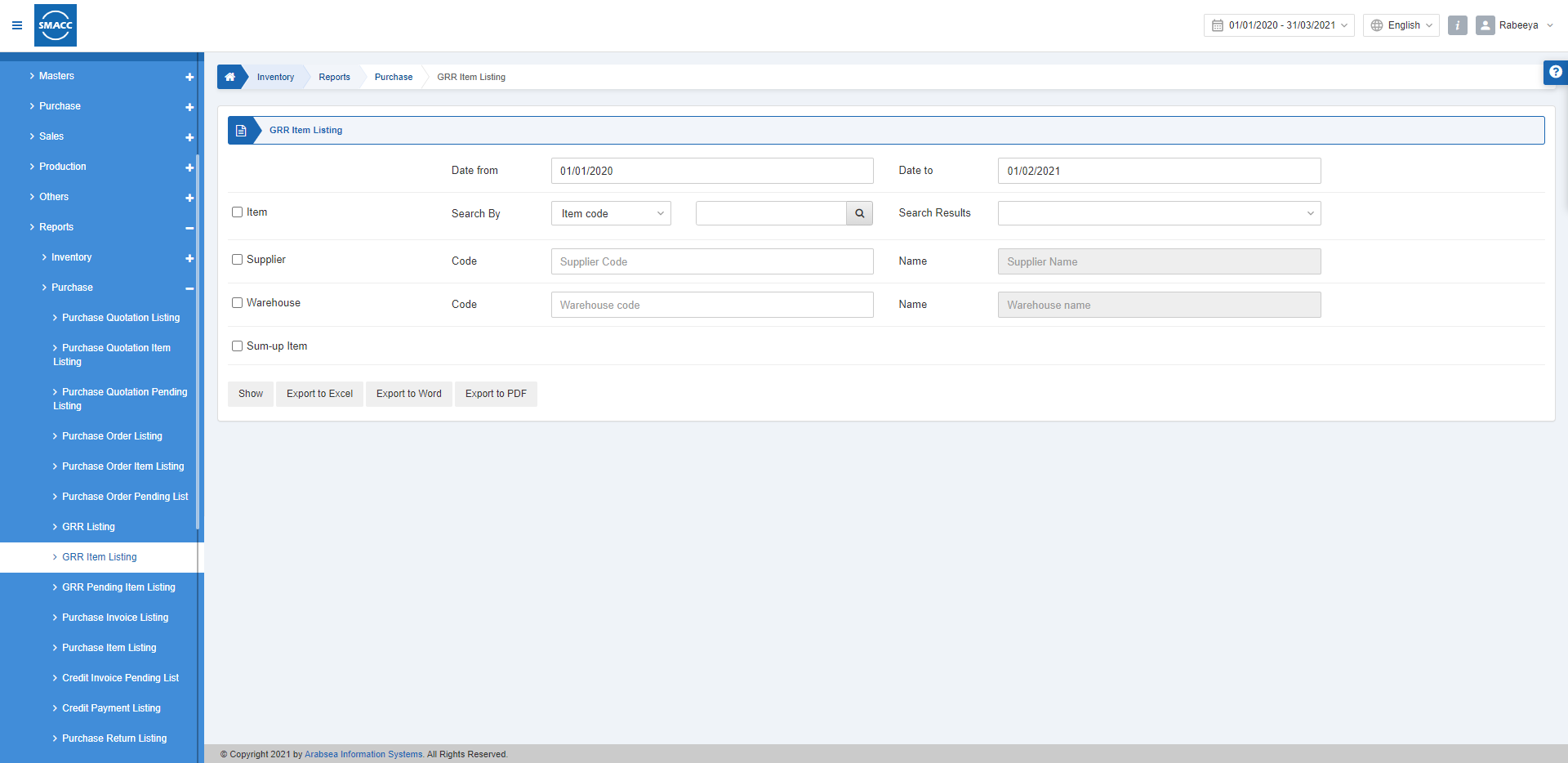
Viewing the GRR Item Listing
To view the GRR item listing, go to Inventory > Reports > Purchase > GRR Item Listing, the GRR item listing report is displayed.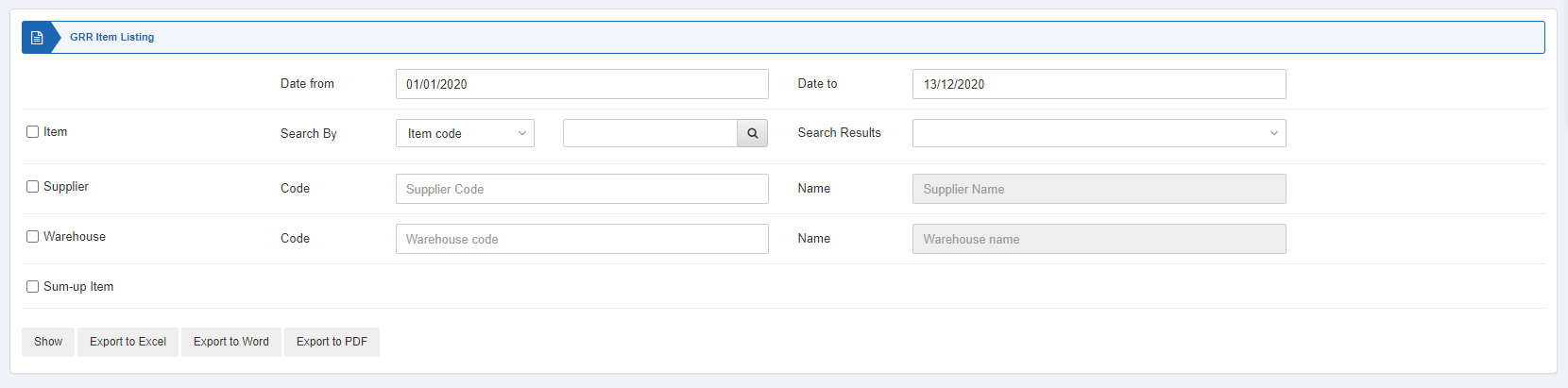
 Date from: This field sets the starting date of the report.
Date to: This field sets the ending date of the report.
Three checkboxes serve as filters for this report.
Date from: This field sets the starting date of the report.
Date to: This field sets the ending date of the report.
Three checkboxes serve as filters for this report.
 Item: This checkbox is checked to select any particular item code. If unchecked all items will be shown against the supplier and warehouse.
Supplier: This checkbox is checked to select any particular supplier code. If unchecked all suppliers will be shown.
Warehouse: This checkbox is checked to select any particular warehouse code. If unchecked all warehouses will be shown.
Item: This checkbox is checked to select any particular item code. If unchecked all items will be shown against the supplier and warehouse.
Supplier: This checkbox is checked to select any particular supplier code. If unchecked all suppliers will be shown.
Warehouse: This checkbox is checked to select any particular warehouse code. If unchecked all warehouses will be shown.
 Sum-up Item: This field allows the summing up of the items.
Show: This button represents the report as per the selected filters.
Export to Excel: This button allows the data of the report to be exported to Excel.
Export to Word: This button allows the data of the report to be exported to Word.
Export to PDF: This button allows the data of the report to be exported to PDF.
Click on the Show button to view the report.
Sum-up Item: This field allows the summing up of the items.
Show: This button represents the report as per the selected filters.
Export to Excel: This button allows the data of the report to be exported to Excel.
Export to Word: This button allows the data of the report to be exported to Word.
Export to PDF: This button allows the data of the report to be exported to PDF.
Click on the Show button to view the report.

 You can go back to the previous page or print or email the report.
Was this article helpful?
Start with SMACC today
Try free for 14 days — no credit card, no commitment.